Mokhoa oa ho theha Account le ho Ingolisa ka ExpertOption
E ngotsoe Ke

Online Trading Platform Mofuputsi le Mongoli oa Tataiso
E etsa lipatlisiso ka li-platform tsa broker le litsamaiso tsa li-account tsa khoebo.
Ithute ho theha ak'haonte le ho ingolisa le ExpertOption mohato ka mohato, ho tloha ho kenya lintlha tsa hau le ho theha profil ea hau ho ea ho itokisetsa ho rekisa likhetho tsa binary habonolo le ka nepo.

Qala Sebopeho sa Khoebo ka ho tobetsa hanngoe
Ngoliso sethaleng ke mokhoa o bonolo o nang le ho tobetsa hanngoe feela. E le ho bula sebopeho sa khoebo ka ho tobetsa hanngoe feela, tobetsa konopo ea "Leka demo ea mahala". 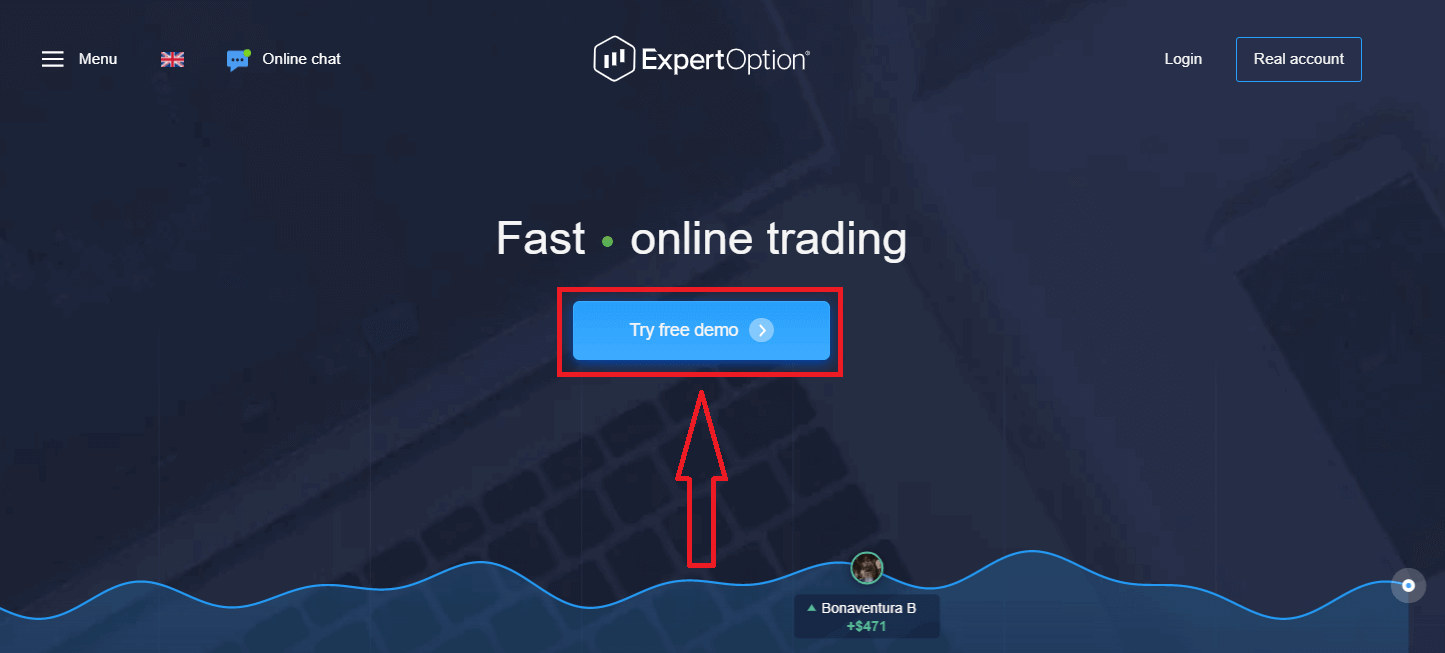
Sena se tla u isa leqepheng la khoebo la Demo ho qala ho rekisa ka $10,000 akhaonteng ea Demo
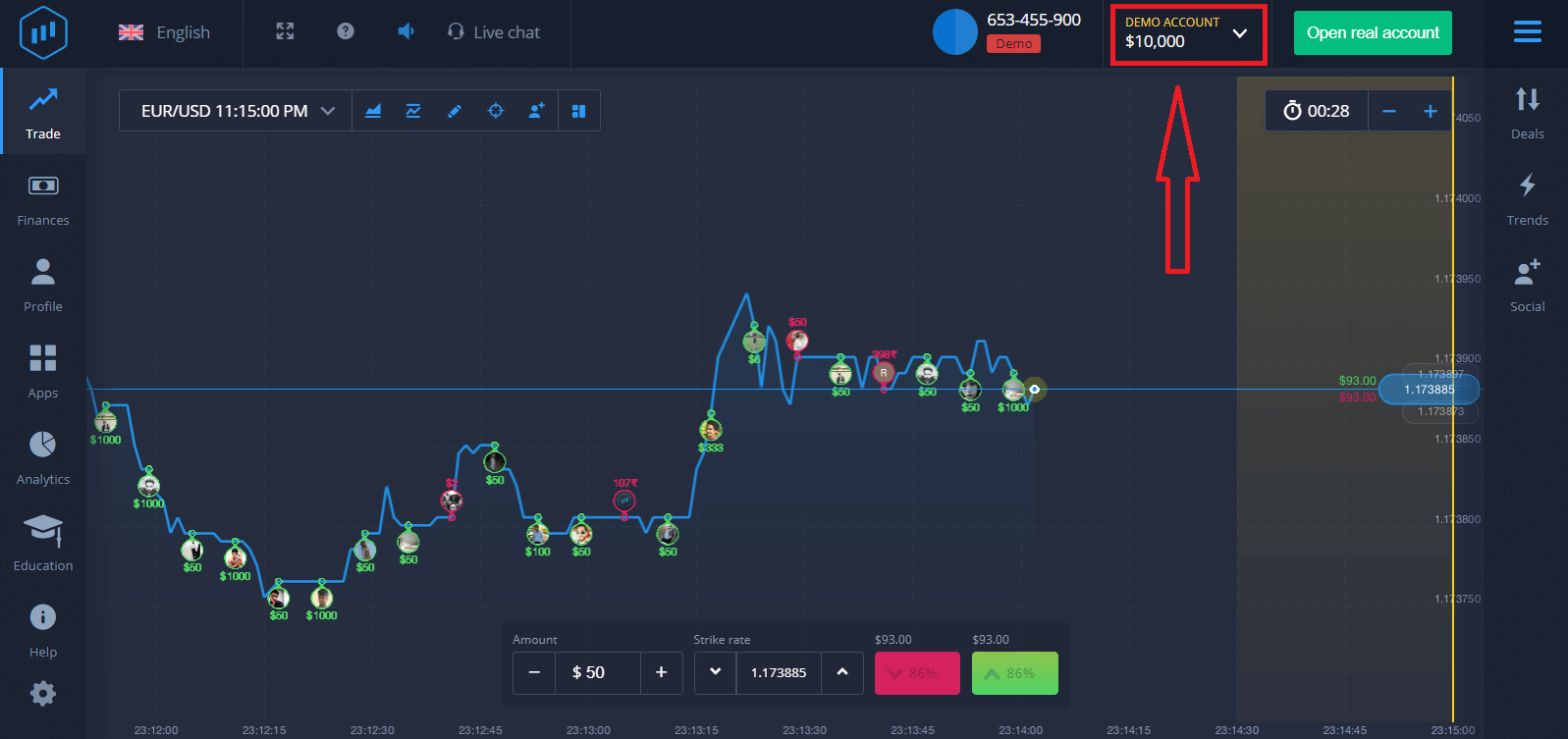
E le hore u tsoele pele ho sebelisa akhaonto, boloka liphetho tsa khoebo 'me u ka rekisa akhaonteng ea 'nete. Tobetsa "Bula akhaonto ea 'nete" ho theha akhaonto ea ExpertOption.
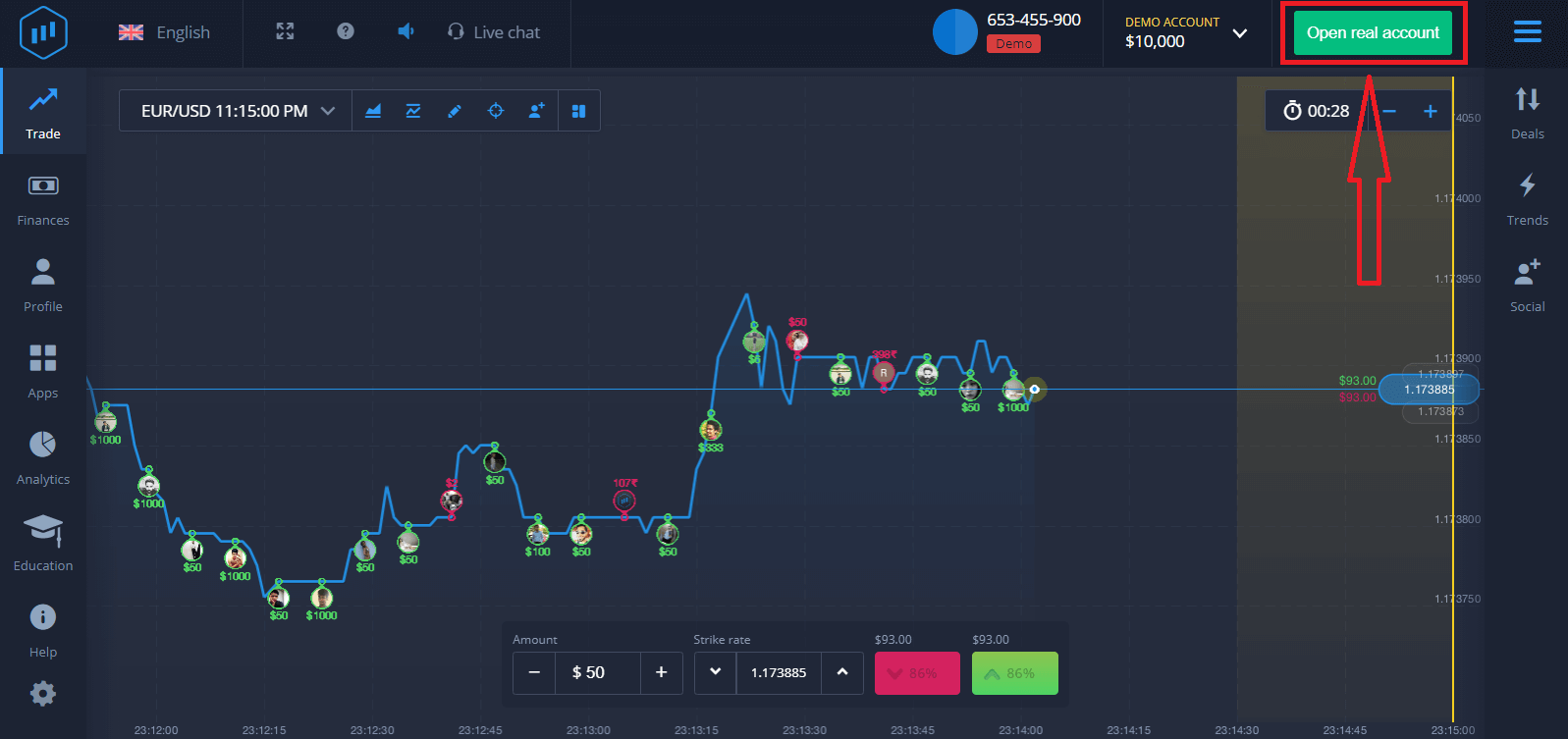
Ho na le likhetho tse tharo tse fumanehang: ho ingolisa ka aterese ea hau ea lengolo-tsoibila, akhaonto ea Facebook kapa akhaonto ea Google joalo ka ha ho ka tlase. Seo u se hlokang feela ke ho khetha mokhoa ofe kapa ofe o loketseng le ho theha phasewete.
Mokhoa oa ho Ingolisa ka Imeile
1. O ka ingolisa bakeng sa ak'haonte sethaleng ka ho tobetsa konopo ea " Ak'haonte ea 'Nete " e hukung e kaholimo ho le letona. 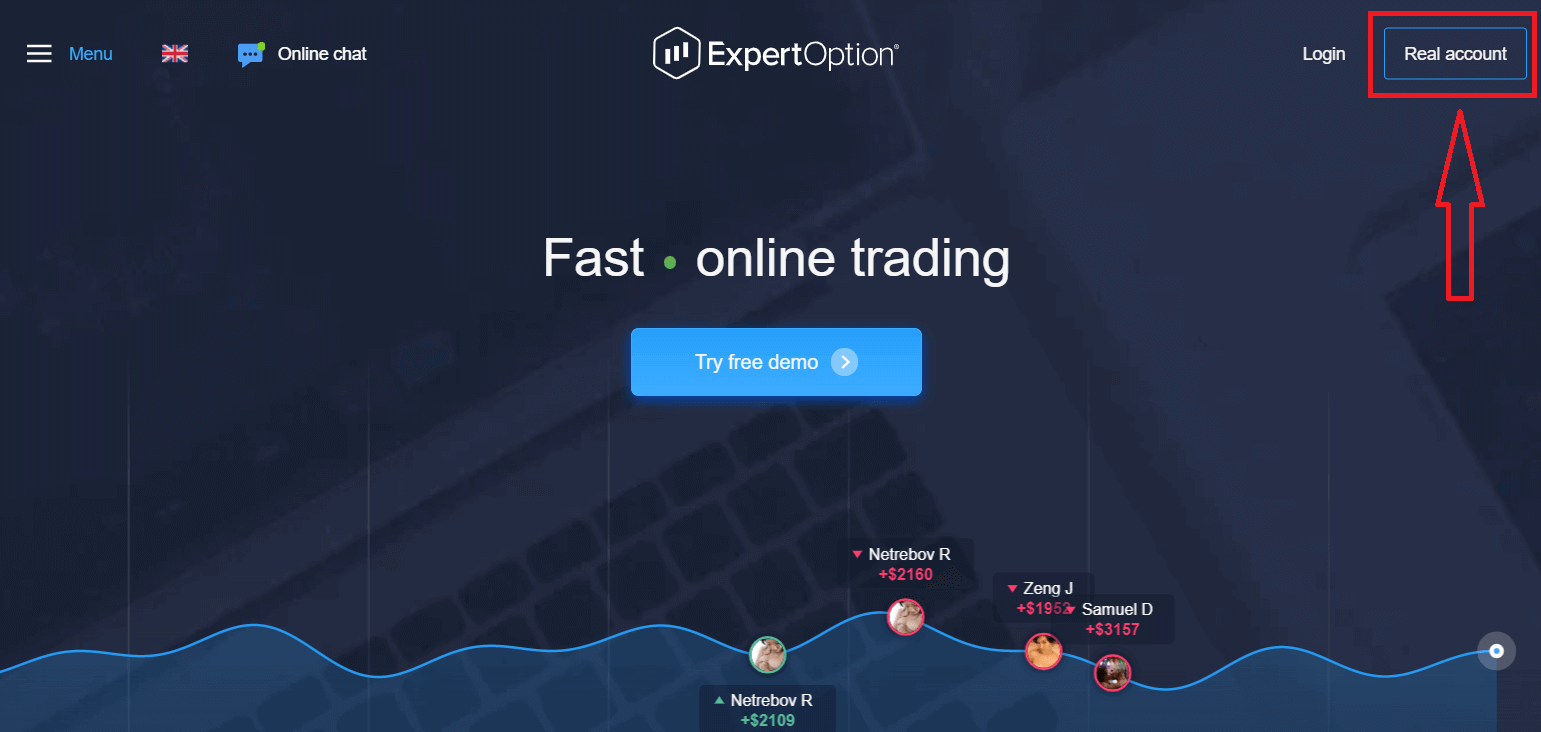
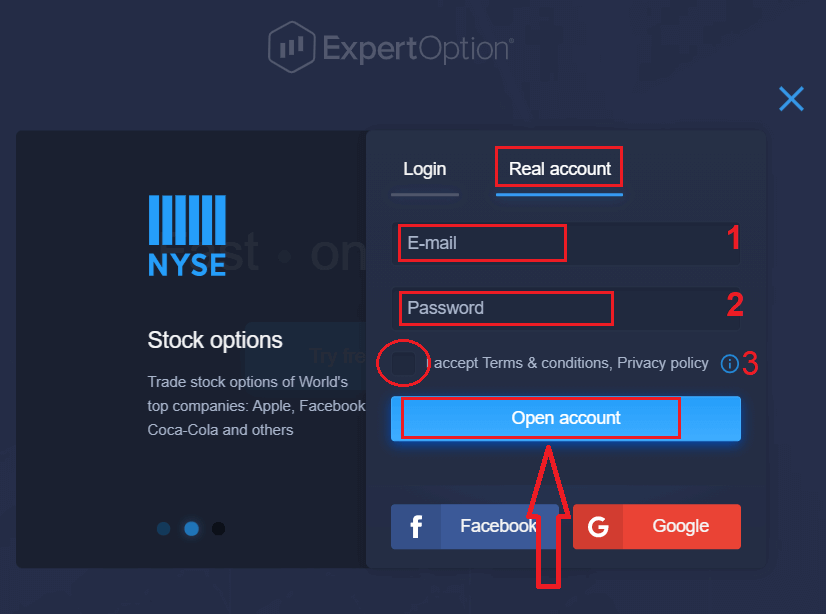
2. Ho ingolisa o hloka ho tlatsa tlhaiso-leseling eohle e hlokahalang ebe o tobetsa "Bula Ak'haonte"
- Kenya aterese ea lengolo-tsoibila e nepahetseng.
- Theha phasewete e matla.
- Hape o hloka ho bala "Melao le Maemo" mme o e hlahlobe.
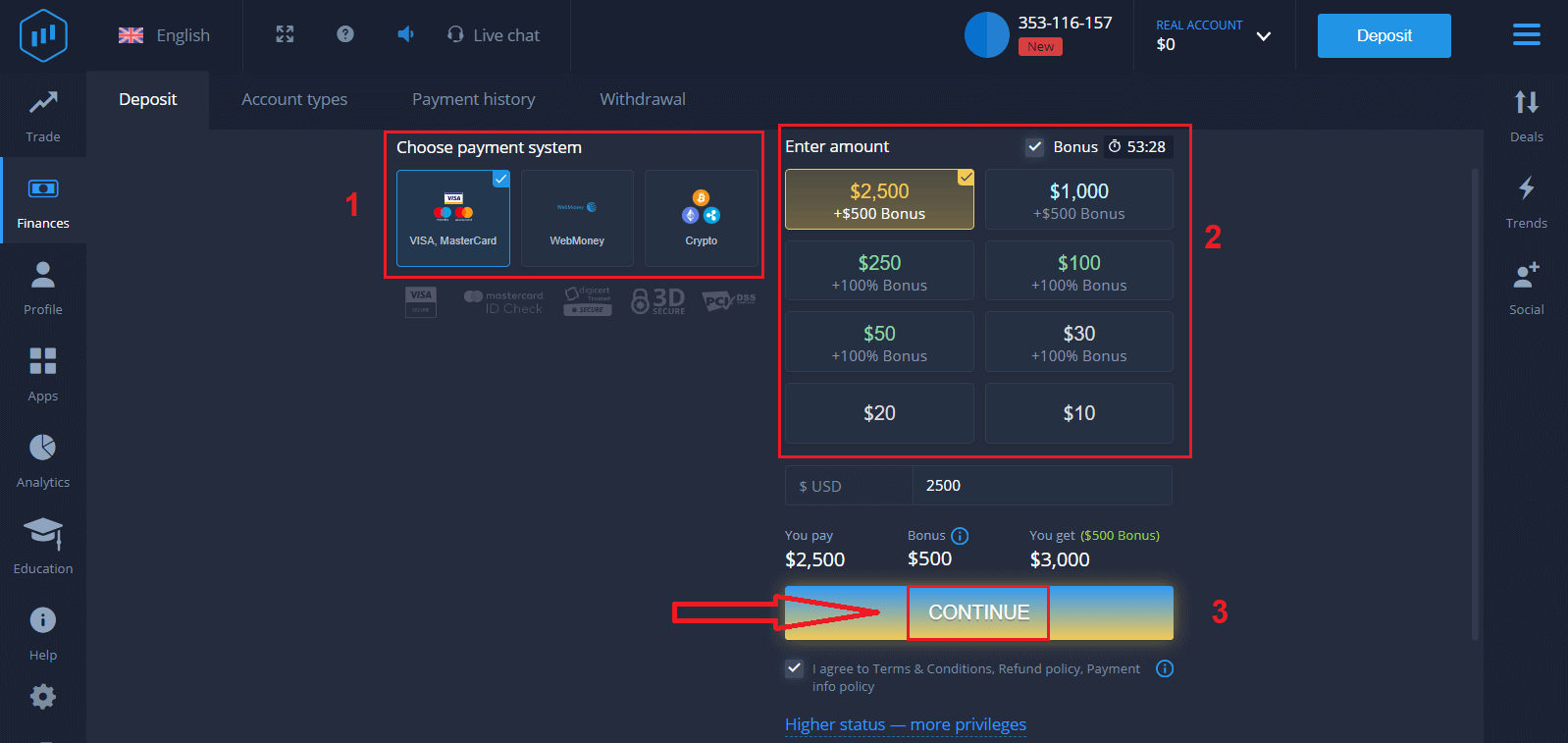
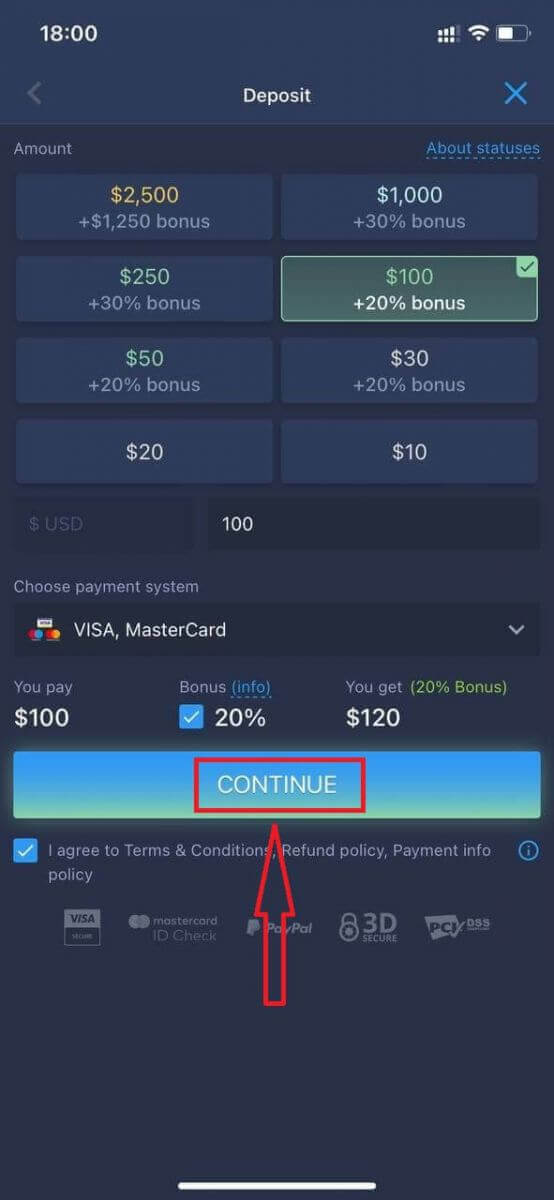
Kea leboha! U ngolisitse ka katleho. Ho qala khoebo e phelang u tlameha ho etsa letsete akhaonteng ea hau (Depositi e nyane ke 10 USD).
Mokhoa oa ho etsa Depositi ho ExpertOption
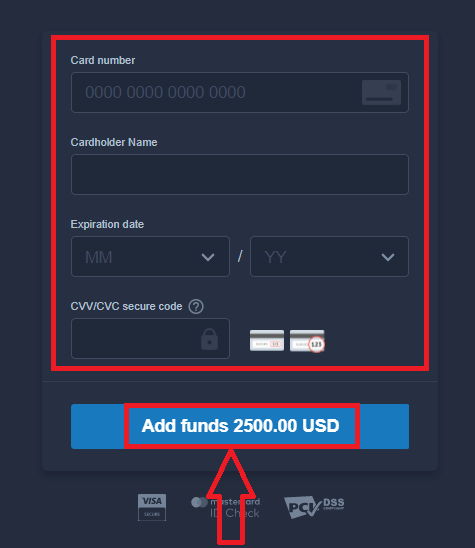
Kenya lintlha tsa karete ebe u tobetsa "Kenya chelete ..."
Joale u ka rekisa akhaonteng ea 'nete ka mor'a ho kenya chelete ka katleho.
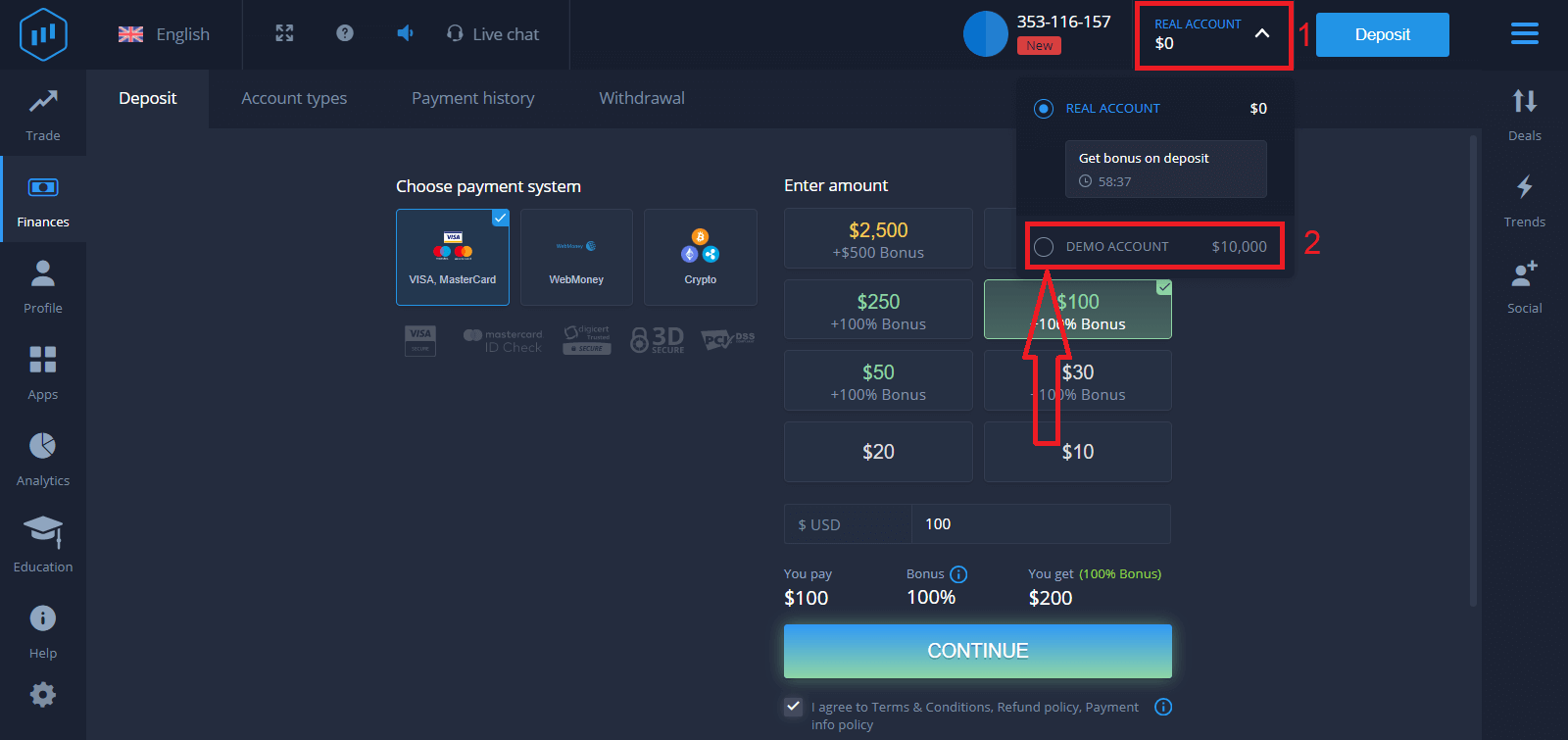
Haeba u batla ho sebelisa Ak'haonte ea Demo, tobetsa "Ak'haonte ea 'Nete" ebe u khetha "Ak'haonte ea Demo" ho qala ho rekisa ka $10,000 ho Ak'haonte ea Demo. Ak'haonte ea demo ke sesebelisoa sa hore u tloaelane le sethala, u itloaetse tsebo ea hau ea khoebo ka thepa e fapaneng 'me u leke mekhoa e mecha chate ea nako ea sebele ntle le likotsi.
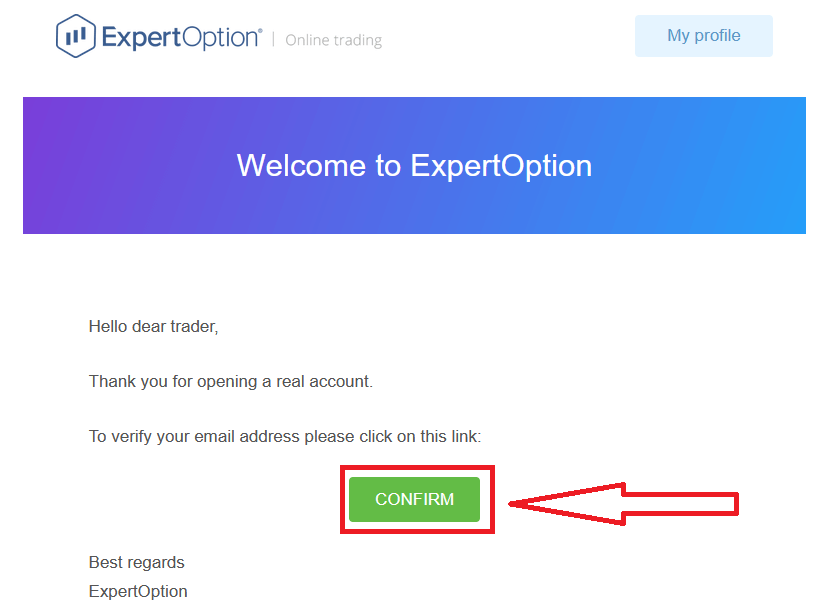
Qetellong, ha u kena lengolo-tsoibila la hau, ExpertOption e tla u romella lengolo-tsoibila la netefatso. Tobetsa konopo posong eo ho kenya tšebetsong akhaonto ea hau. Kahoo, u tla qeta ho ngolisa le ho kenya tšebetsong akhaonto ea hau.
Mokhoa oa ho Ingolisa ka akhaonto ea Facebook
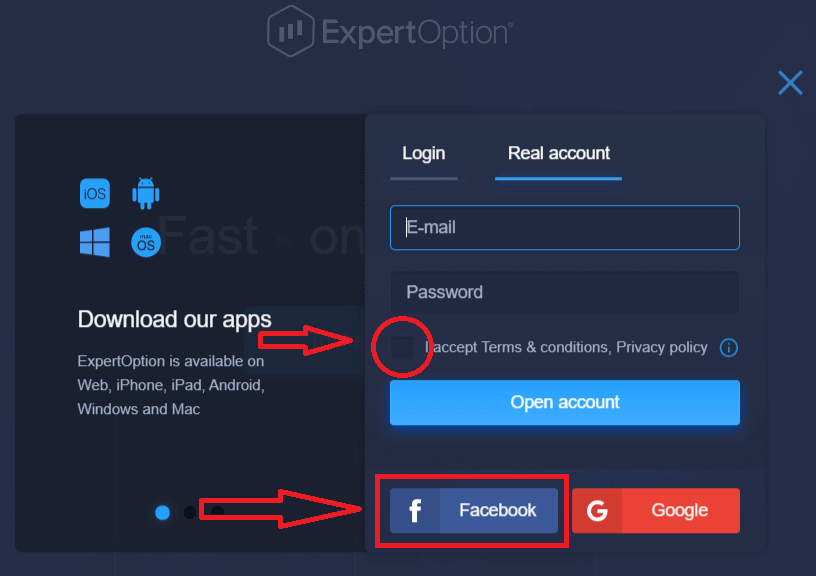
Hape, o na le kgetho ya ho bula ak'haonte ya hao ka akhaonto ya Facebook mme o ka etsa seo ka mehato e mmalwa feela e bonolo: 1. Lekola "Melawana le Maemo" mme o tobetse konopo ya Facebook
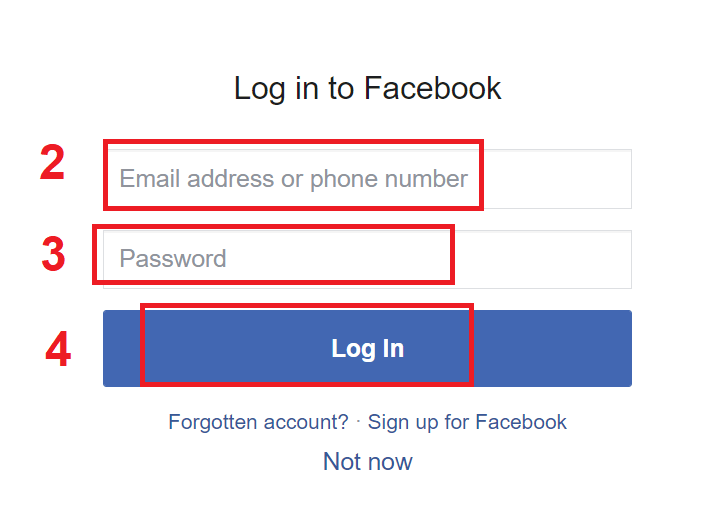
2. Fensetere ya ho kena ya Facebook e tla bulwa, moo o tla hloka ho kenya aterese ya hao ya imeile eo o e sebedisitseng ho ingodisa ho Facebook
3. Kenya phasewete ho tswa akhaonteng ya hao ya Facebook
4. Tobetsa ho "Kena"
Hang ha o tobetse konopo ya "Kena", ExpertOption e kopa phihlello ho: Lebitso la hao le setshwantsho sa profil le aterese ya imeile. Tobetsa "Tswela Pele..."
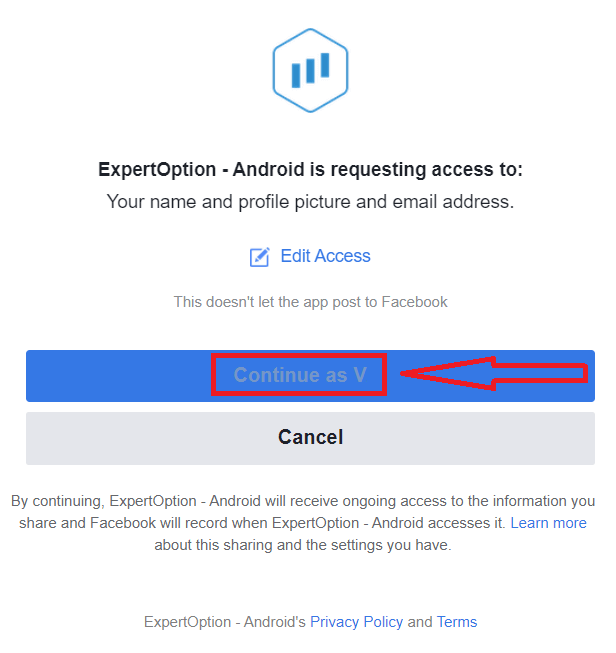
Kamora moo O tla fetisetswa ka bohona sethaleng sa ExpertOption.
Mokhoa oa ho Ingolisa ka Ak'haonte ea Google
1. To sign up with a Google account, Check "Terms and Conditions" and click on the corresponding button in the registration form.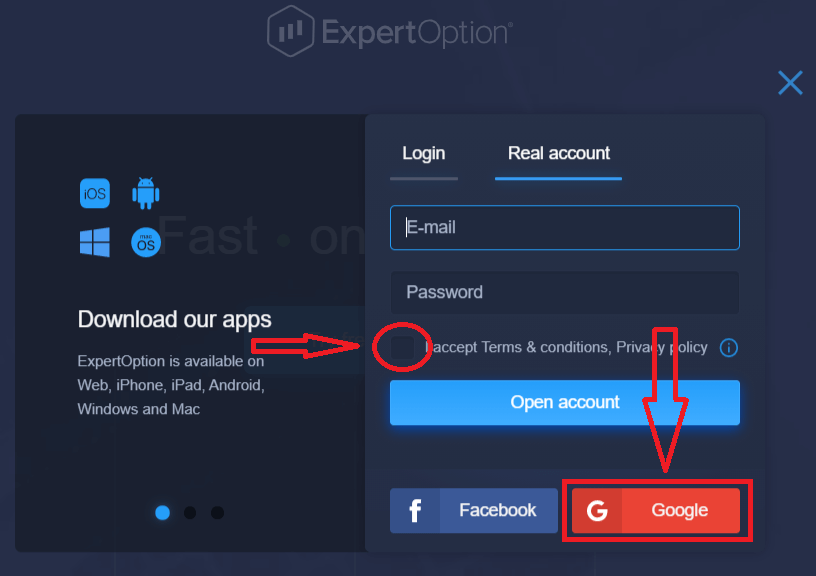
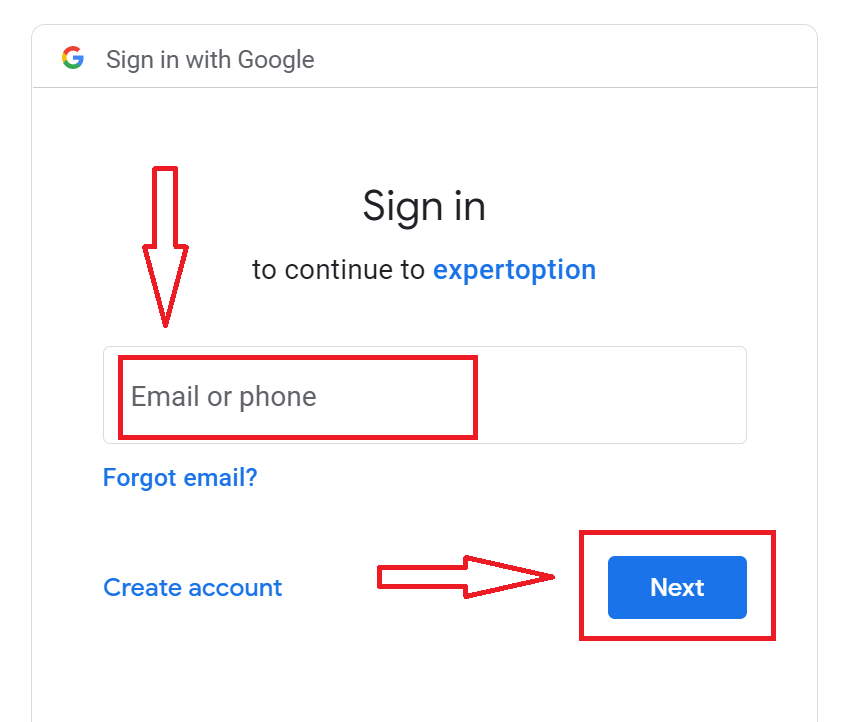
2. In the newly opened window enter your phone number or email and click "Next".
3. Then enter the password for your Google account and click “Next”.
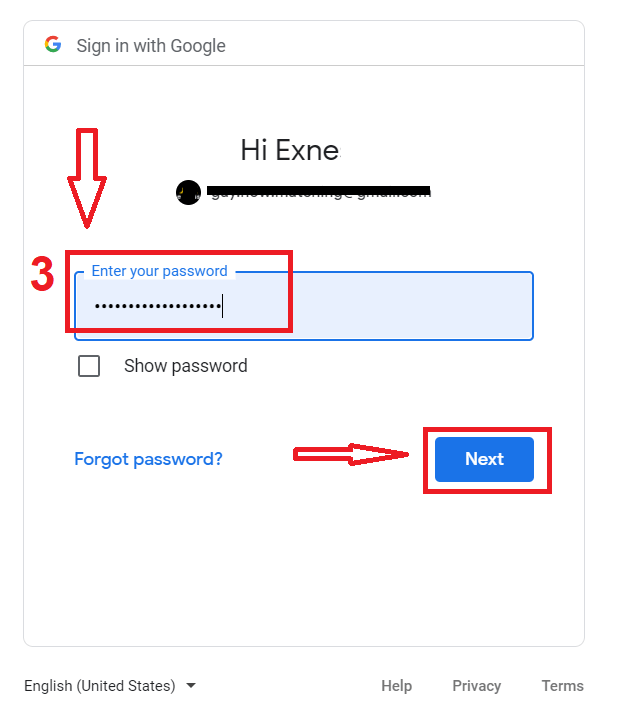
After that, follow the instructions sent from the service to your email address.
Register on ExpertOption iOS App
If you have an iOS mobile device you will need to download the official ExpertOption mobile app from App Store or here. Simply search for “ExpertOption - Mobile Trading” app and download it on your iPhone or iPad.The mobile version of the trading platform is exactly the same as web version of it. Consequently, there won’t be any problems with trading and transferring funds.
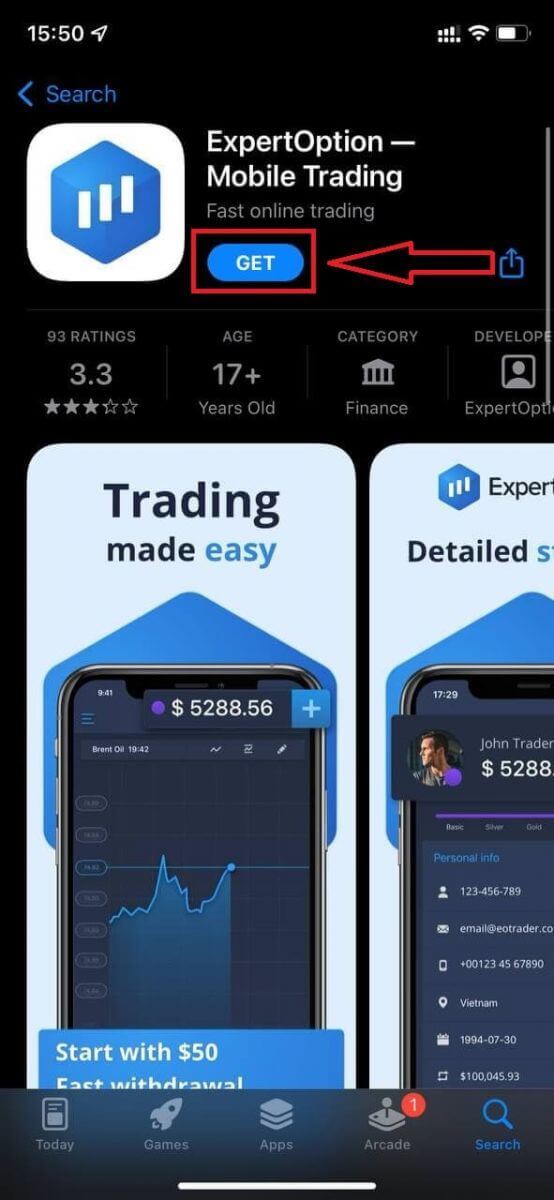
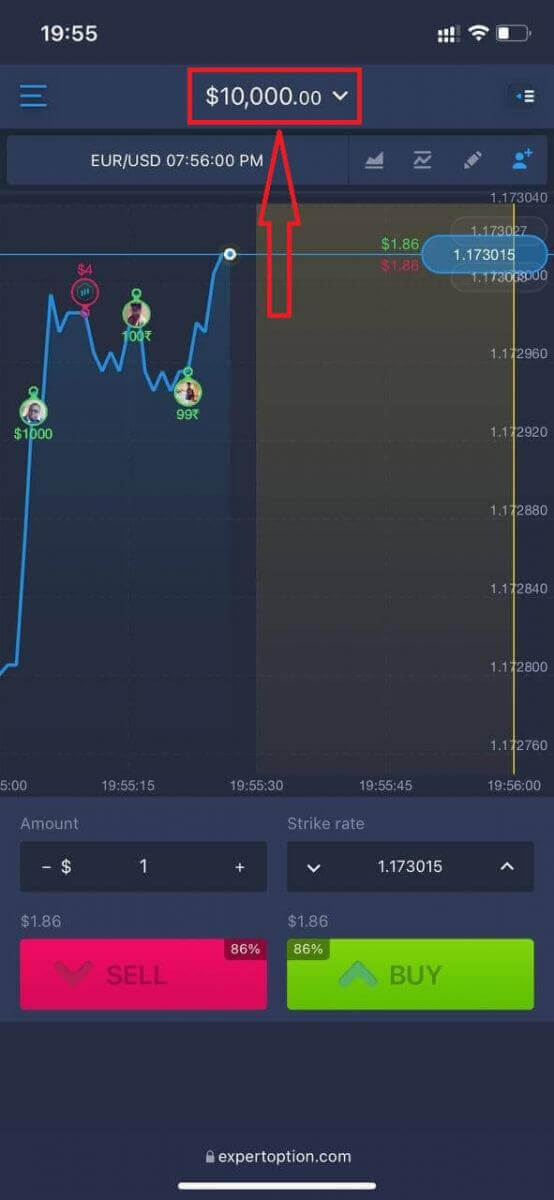
After that, open ExpertOption app, you will see the trading platform, click "Buy" or "Sell" to predict where the graph will go.
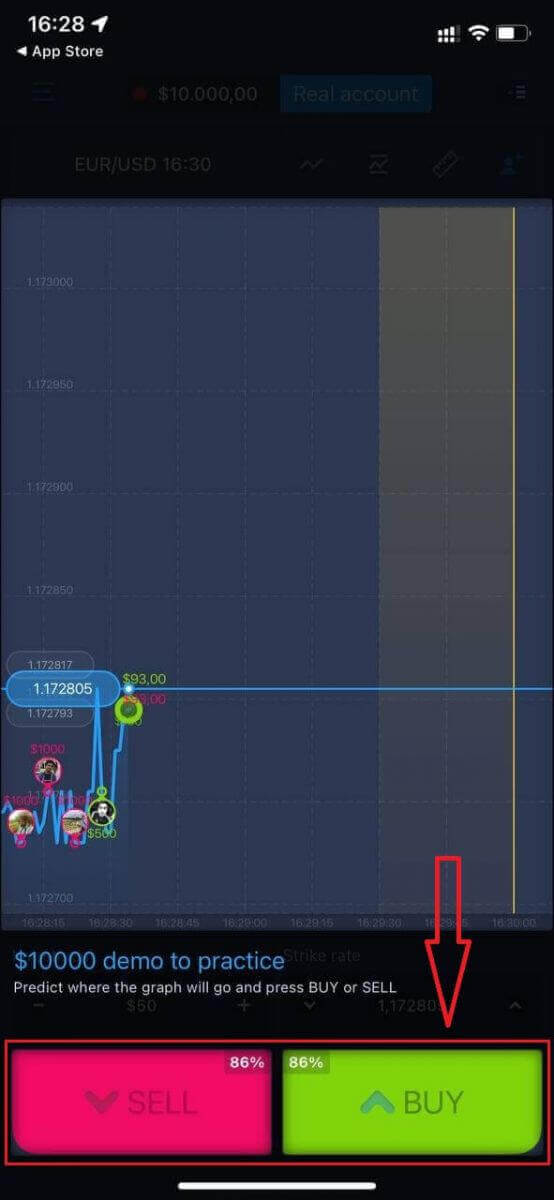
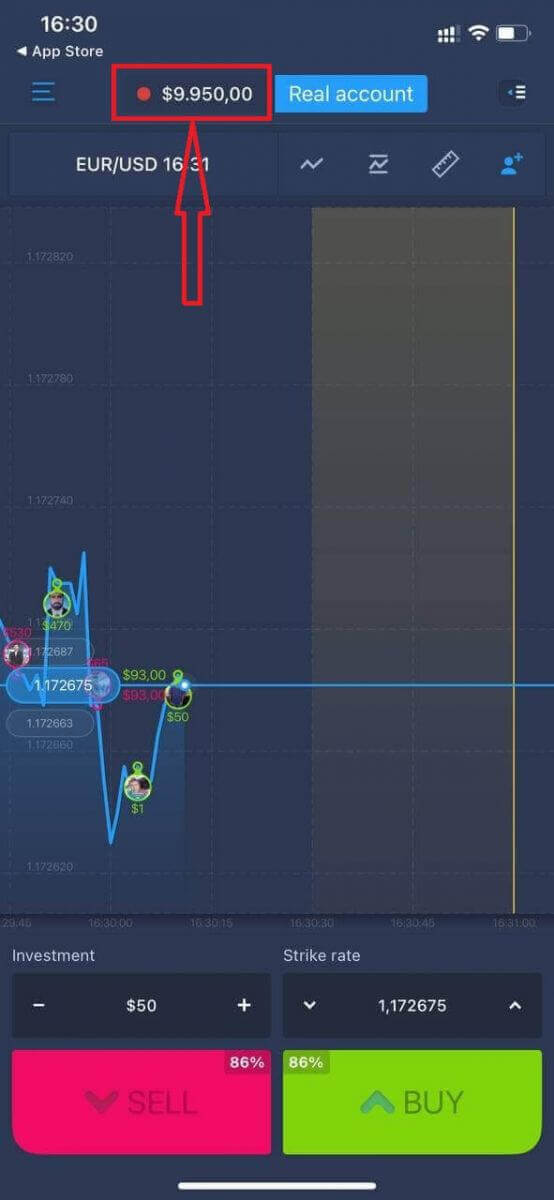
Now you can continure trading with $10,000 in Demo account.
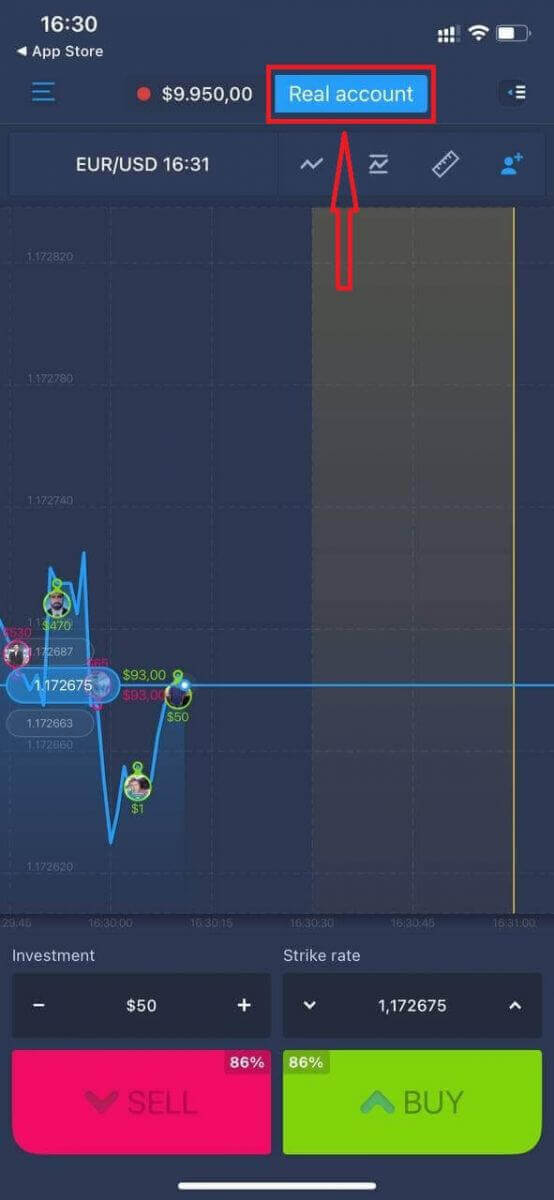
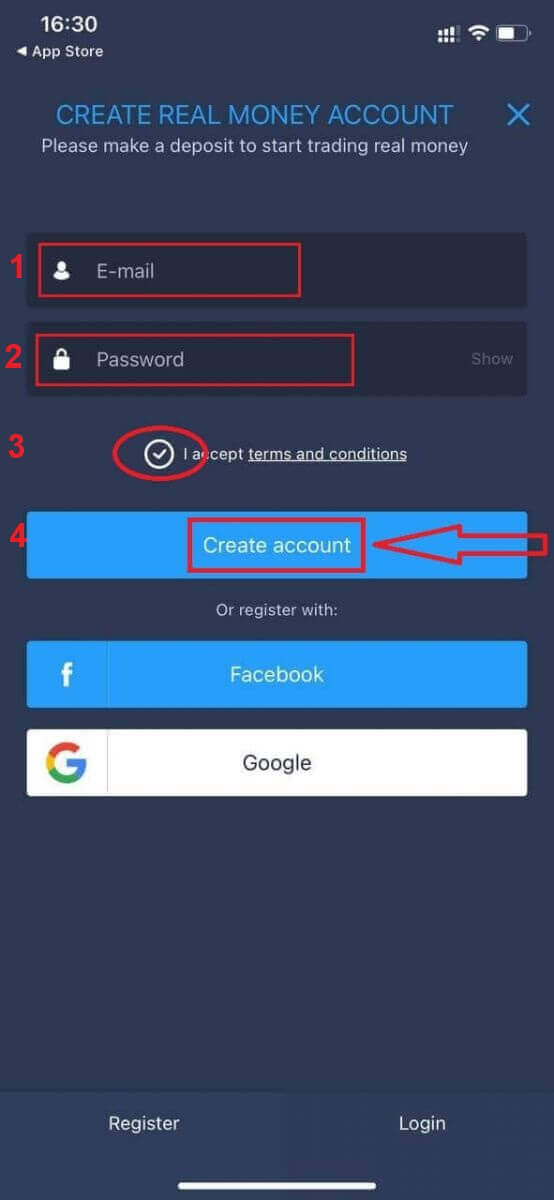
You also can open an account on the iOS mobile platform by clicking "Real account"
- Enter a valid email address.
- Create a strong password.
- You also need to accept "Terms and Conditions"
- Click "Create account"
Congratulation! You have registered successfully, now you can deposit and start trading with real account
Register on ExpertOption Android App
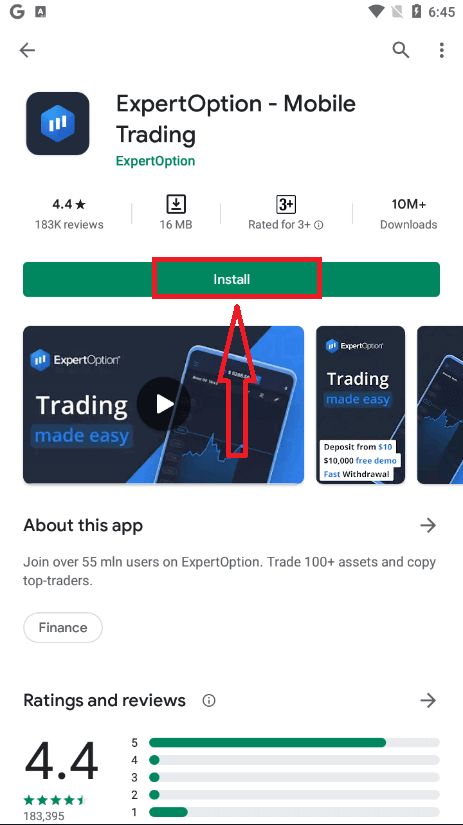
If you have an Android mobile device you will need to download the official ExpertOption mobile app from Google Play or here. Simply search for “ExpertOption - Mobile Trading” app and download it on your device.The mobile version of the trading platform is exactly the same as web version of it. Consequently, there won’t be any problems with trading and transferring funds. Moreover, ExpertOption trading app for Android is considered to be the best app for online trading. Thus, it has a high rating in the store.
After that, open ExpertOption app, you will see the trading platform, click "Buy" or "Sell" to predict where the graph will go.
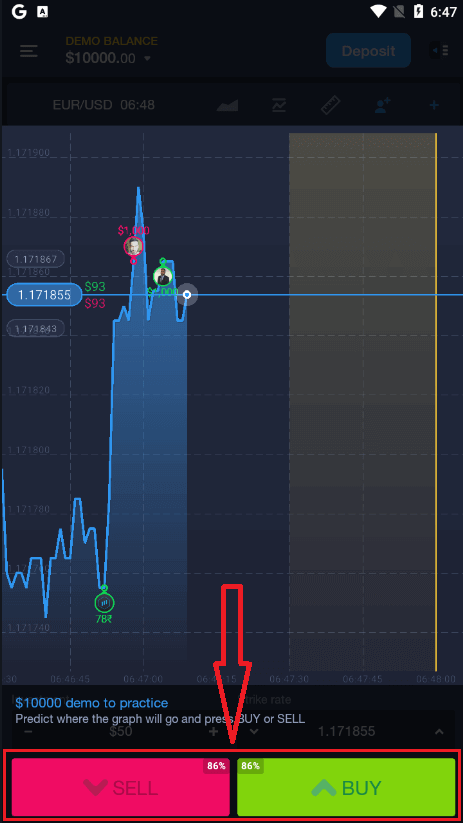
Now you can continure trading with $10,000 in Demo account.
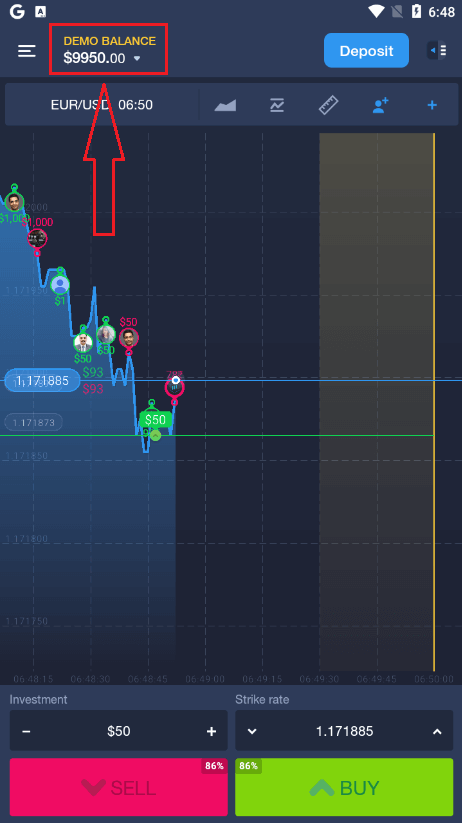
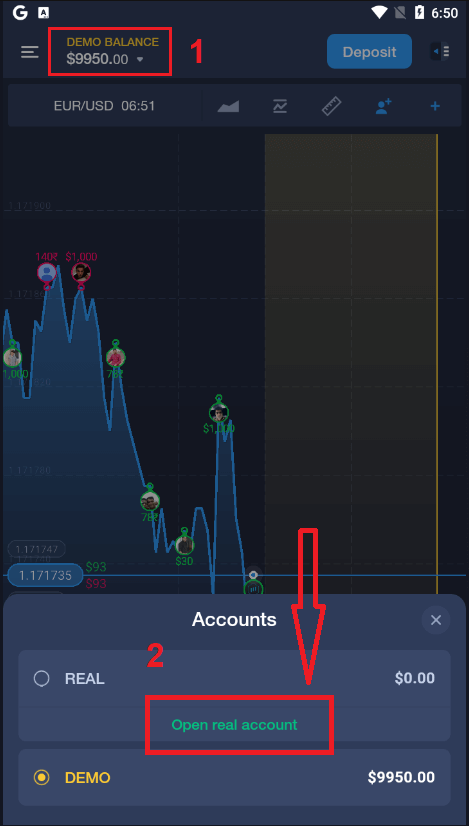
You also can open an account on the Android mobile platform by clicking "DEMO BALANCE" then click "Open real account"
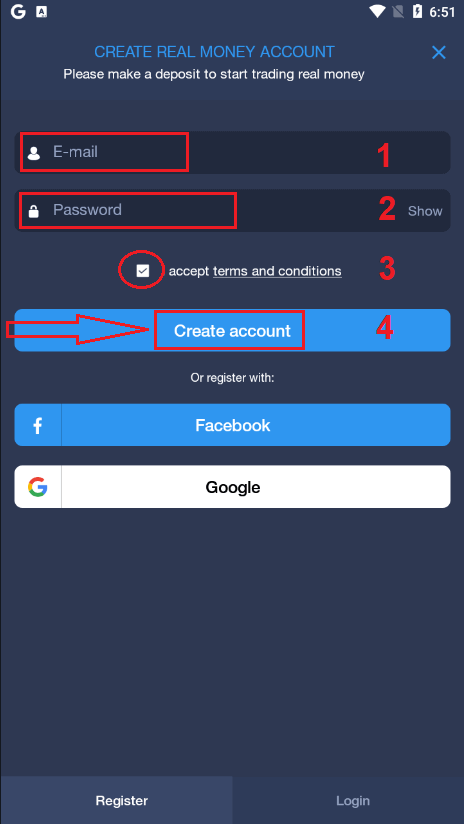
- Enter a valid email address.
- Create a strong password.
- You also need to accept "Terms and Conditions"
- Click "Create account"
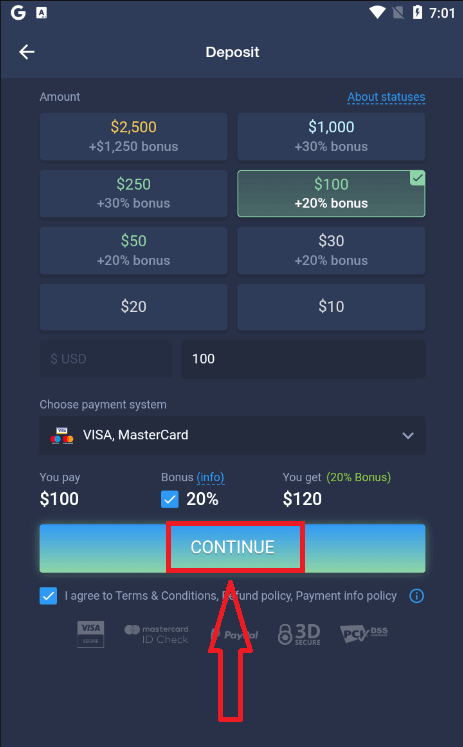
Congratulation! You have registered successfully, now you can deposit and start trading with real account
Register ExpertOption account on Mobile Web Version
Haeba o batla ho rekisa ka mofuta wa webo wa mohala wa sethala sa kgwebo sa ExpertOption, o ka ho etsa habonolo. Qalong, bula sebatli sa hao sesebedisweng sa hao sa mohala. Kamora moo, batla " expertoption.com " mme o etele websaete ya semmuso ya morekisi.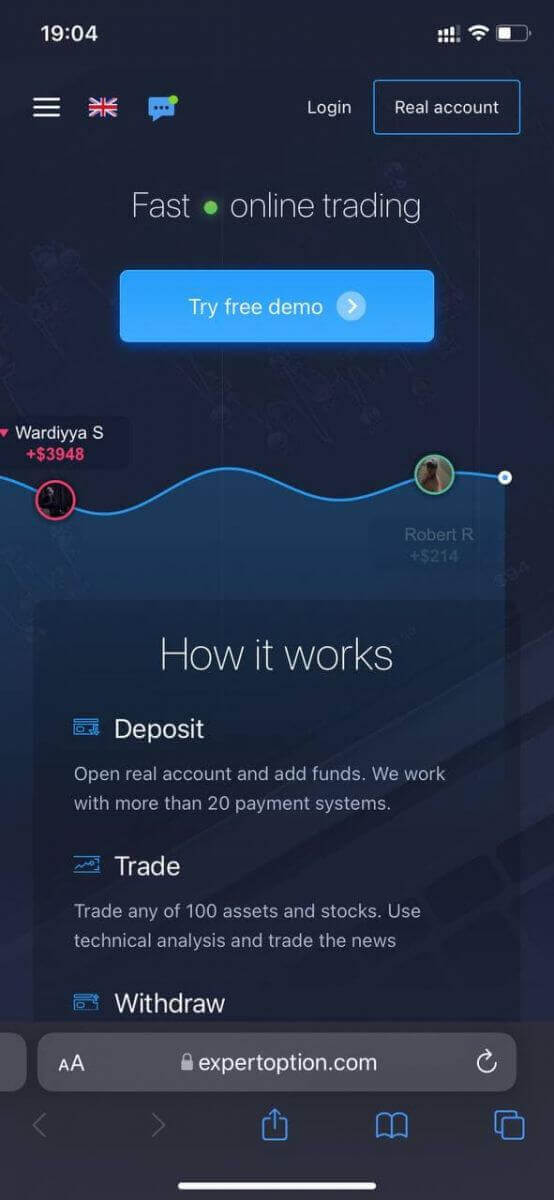
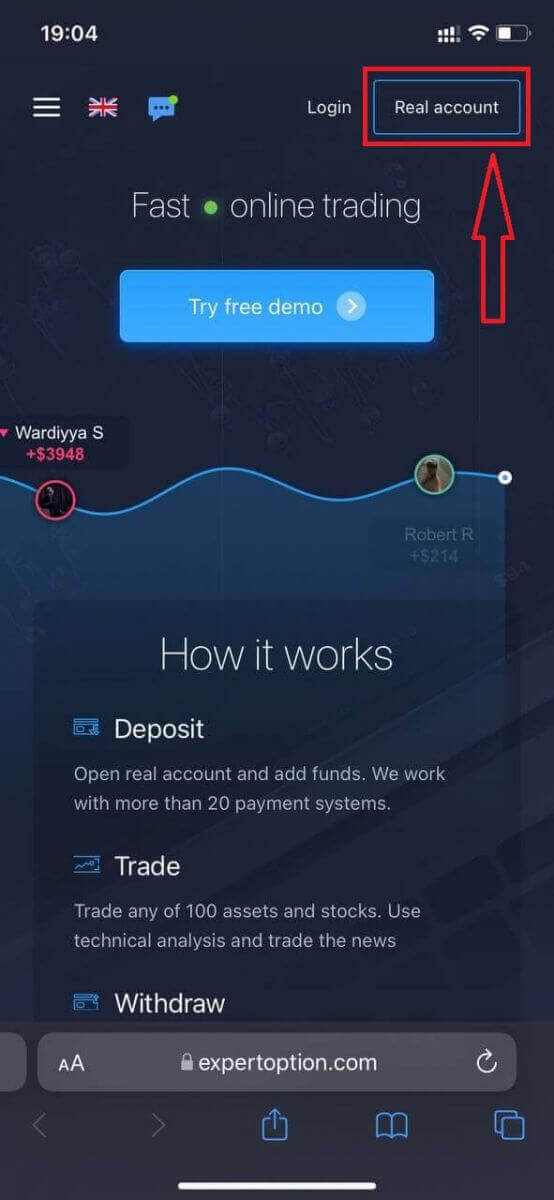
Tobetsa konopo ya "Akhaonto ya nnete" k'honeng e ka hodimo ho le letona.
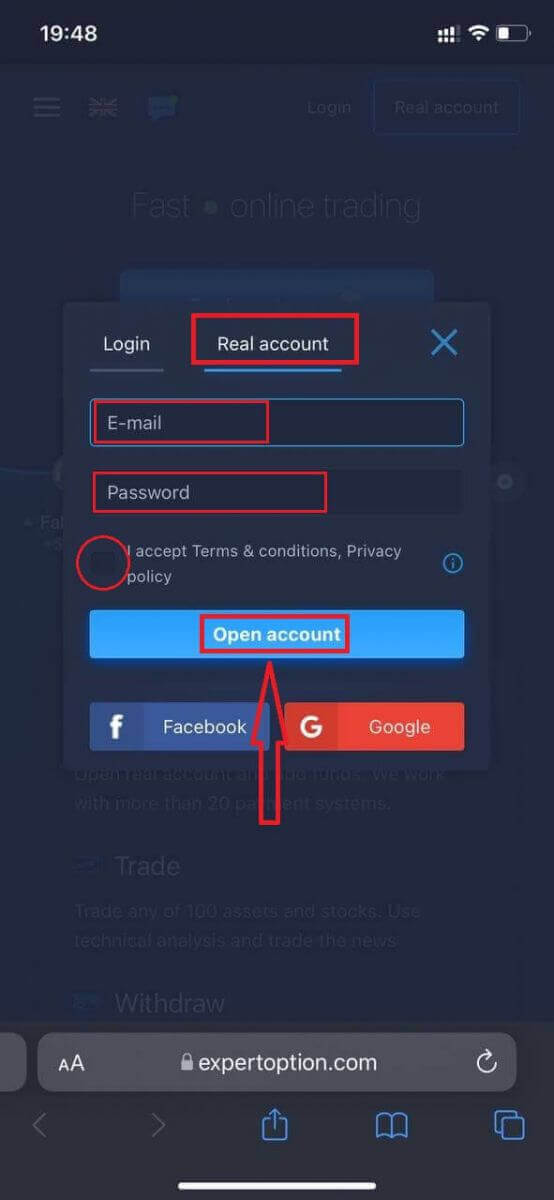
Mohatong ona re ntse re kenya data: imeile, phasewete, amohela "Melao le Maemo" mme o tobetse "Bula akhaonto".
Ke a o lebohela! O ngodisitse ka katleho, Jwale o ka kenya tjhelete mme wa qala ho rekisa ka ak'haonte ya nnete.
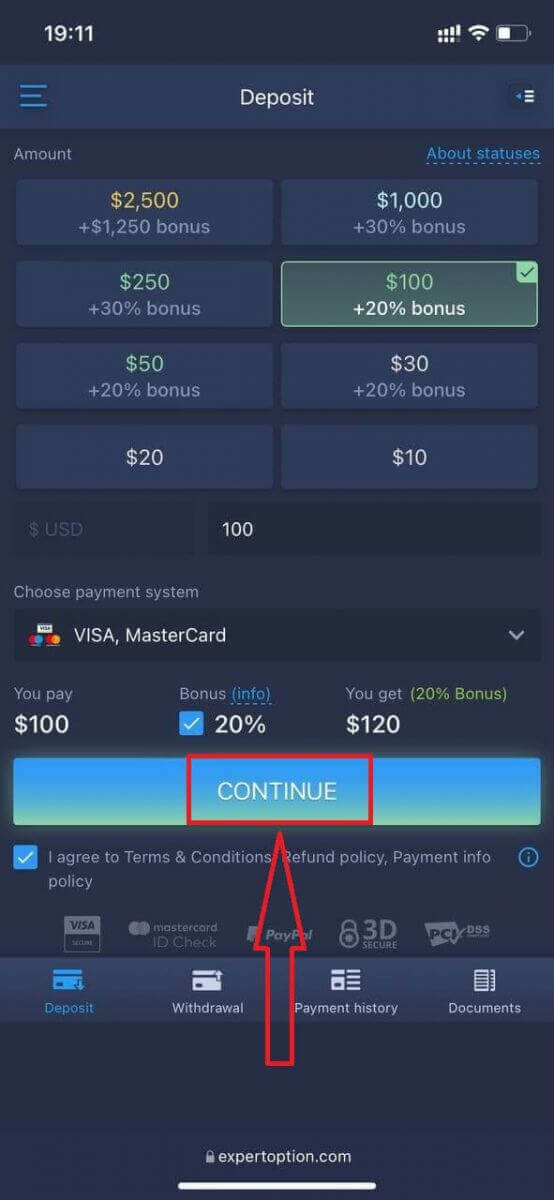
Mofuta wa webo wa mohala wa sethala sa kgwebo o tshwana hantle le mofuta o tlwaelehileng wa webo wa sona. Ka lebaka leo, ho ke ke ha ba le mathata ka ho rekisa le ho fetisetsa tjhelete.
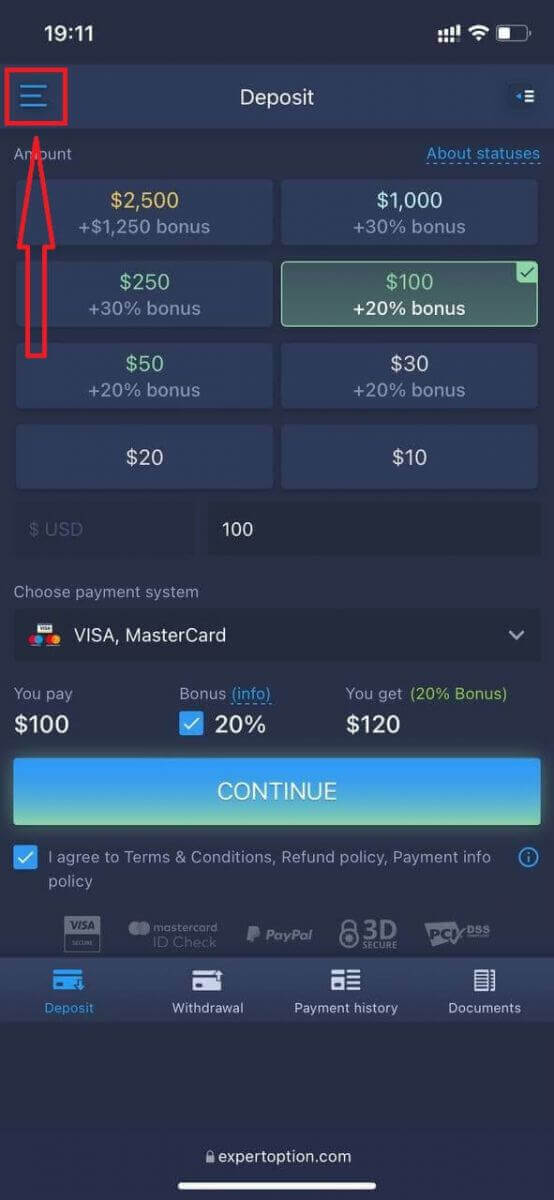
Kapa o batla ho rekisa ka ak'haonte ya Demo pele, ho etsa jwalo ka ho tobetsa letshwao la menu
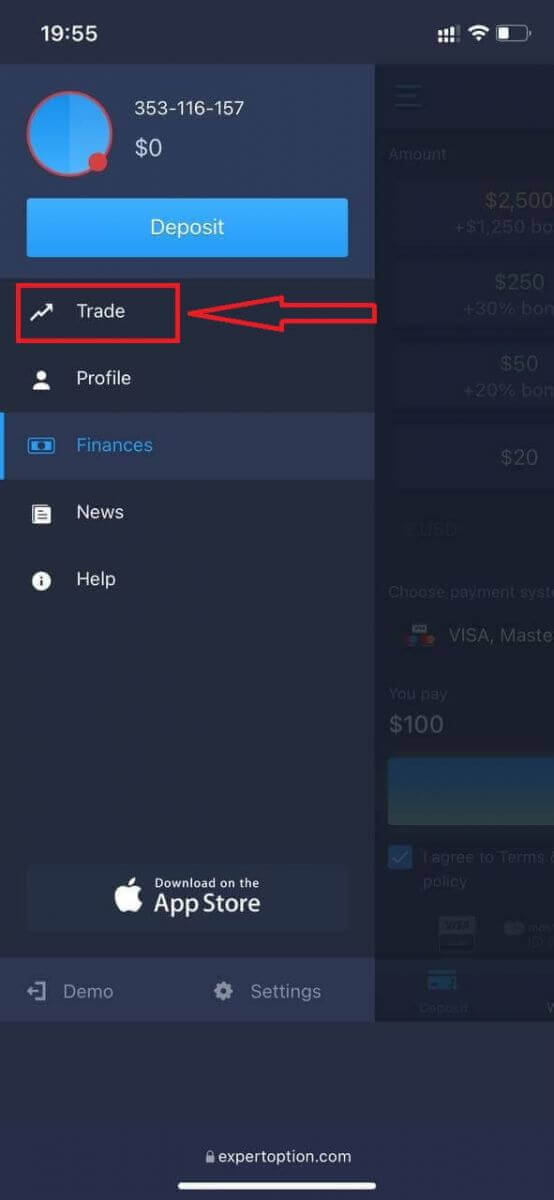
Tobetsa "Kgwebo"
Fetola diak'haonte ho tloha akhaonteng ya nnete ho ya akhaonteng ya Demo
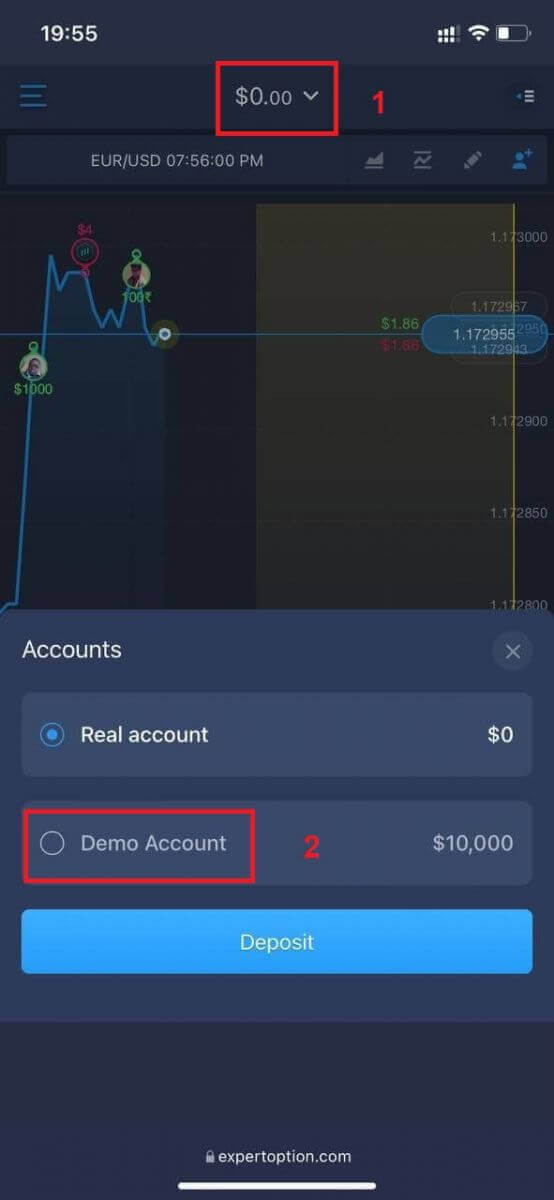
. O tla ba le $10,000 akhaonteng ya demo.