ExpertOption: Trade Binary Options and Withdraw Money

When it comes time to cash out, withdrawals are a separate workflow with its own requirements: account verification, payment-method matching, and processing windows. Learn the trade execution steps you’ll use every session, then check the verification checklist and payout rules so your withdrawals clear smoothly and without unnecessary delays.

How to Trade Binary Options on ExpertOption
Features on ExpertOption
We provide the fastest trading using modern technologies. No delays in order executions and most accurate quotes. Our trading platform is available 24/7, including weekends. ExpertOption customer service is available 24/7. We continually add new financial instruments.
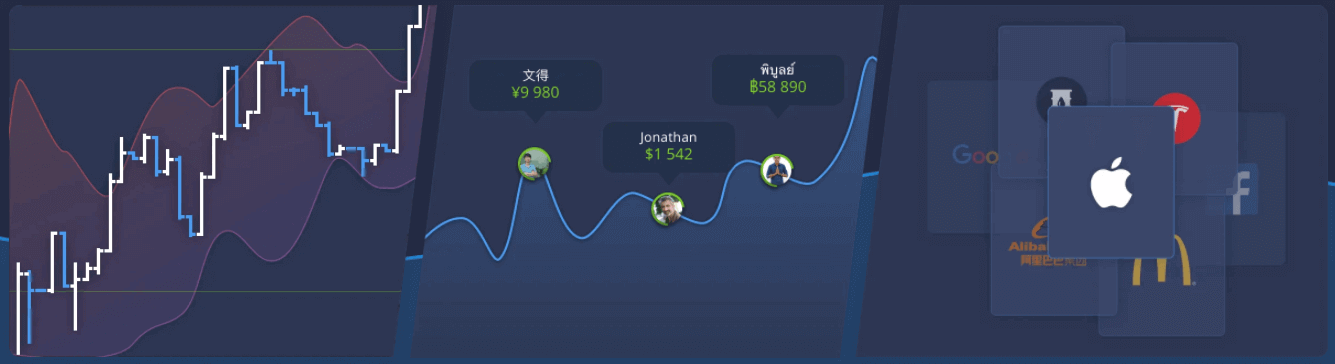
- Technical analysis tools: 4 chart types, 8 indicators, trend lines
- Social trading: watch deals across the globe or trade with your friends
- Over 100 assets, including popular stocks like Apple, Facebook, and McDonald’s
How to Open a Trade on ExpertOption
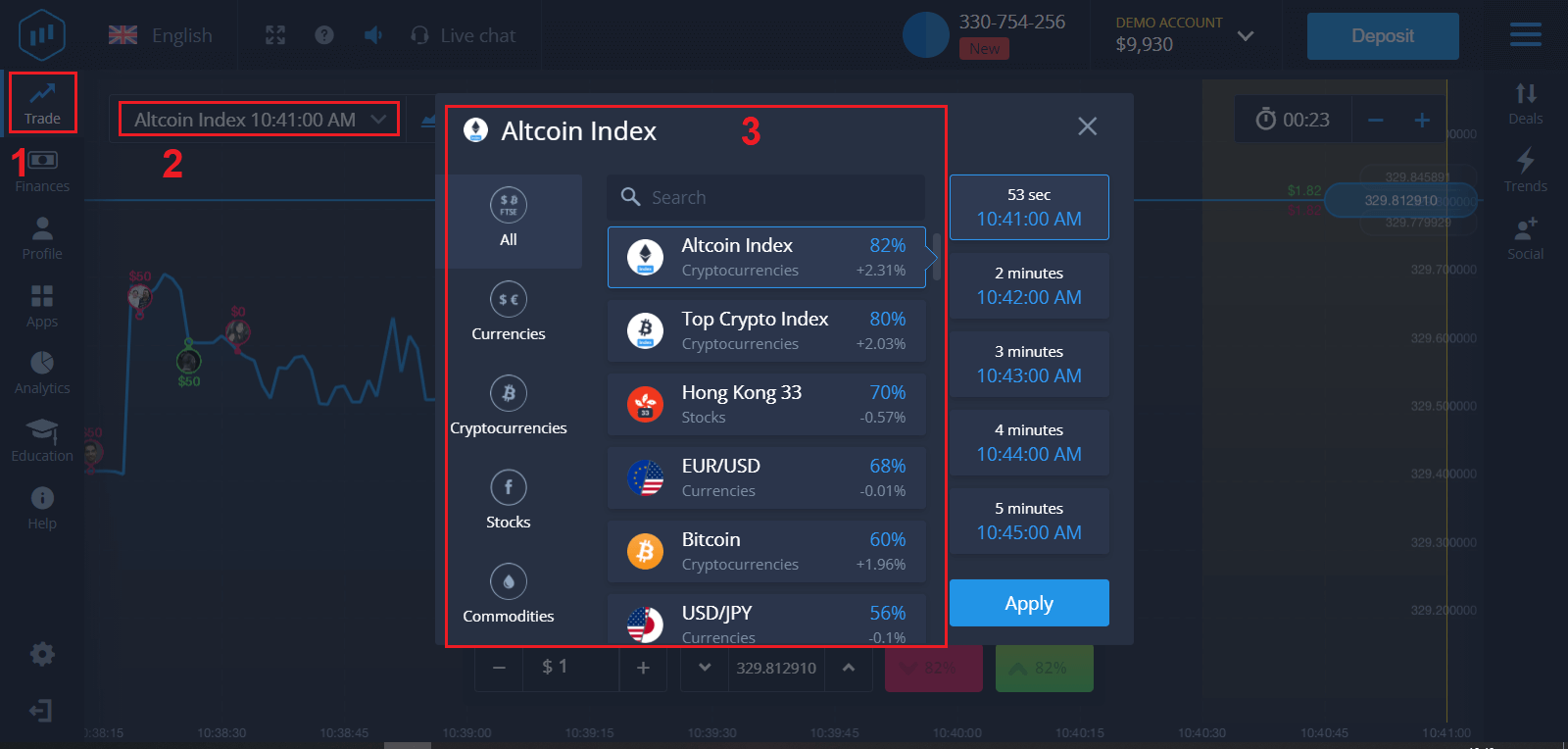
1. Choose an asset for trading
- You can scroll through the list of assets. The assets that are available to you are colored white. Click on the asset to trade on it.
- The percentage determines its profitability. The higher the percentage, the higher your profit in case of success.
All trades close with the profitability that was indicated when they were opened.
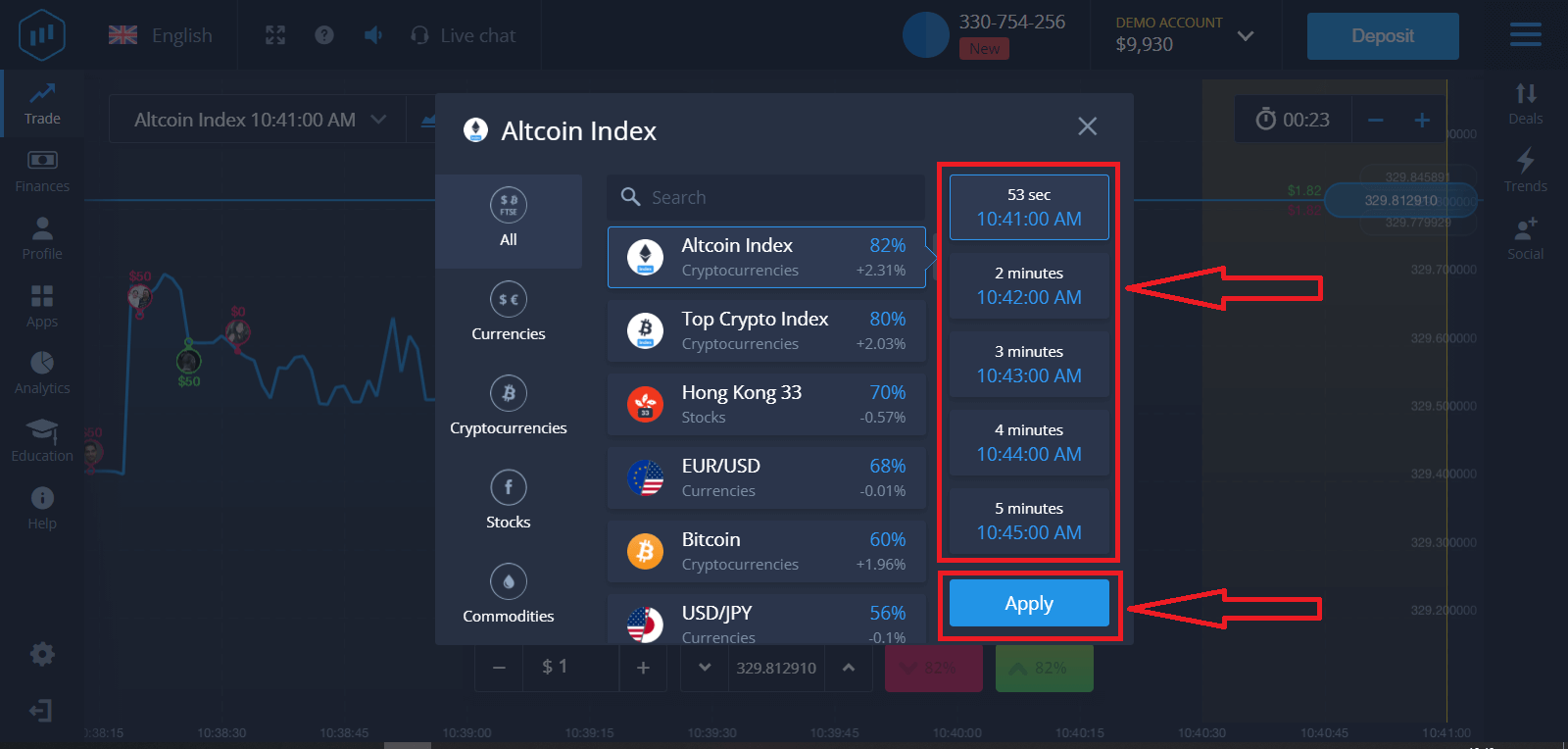
2. Choose an Expiration Time and click the Apply button
The expiration period is the time after which the trade will be considered completed (closed), and the result is automatically summed up.
When concluding a trade with ExpertOption, you independently determine the time of execution of the transaction.
3. Set the amount you’re going to invest
The minimum amount for a trade is $1, the maximum $1,000, or an equivalent in your account currency. We recommend you start with small trades to test the market and get comfortable.
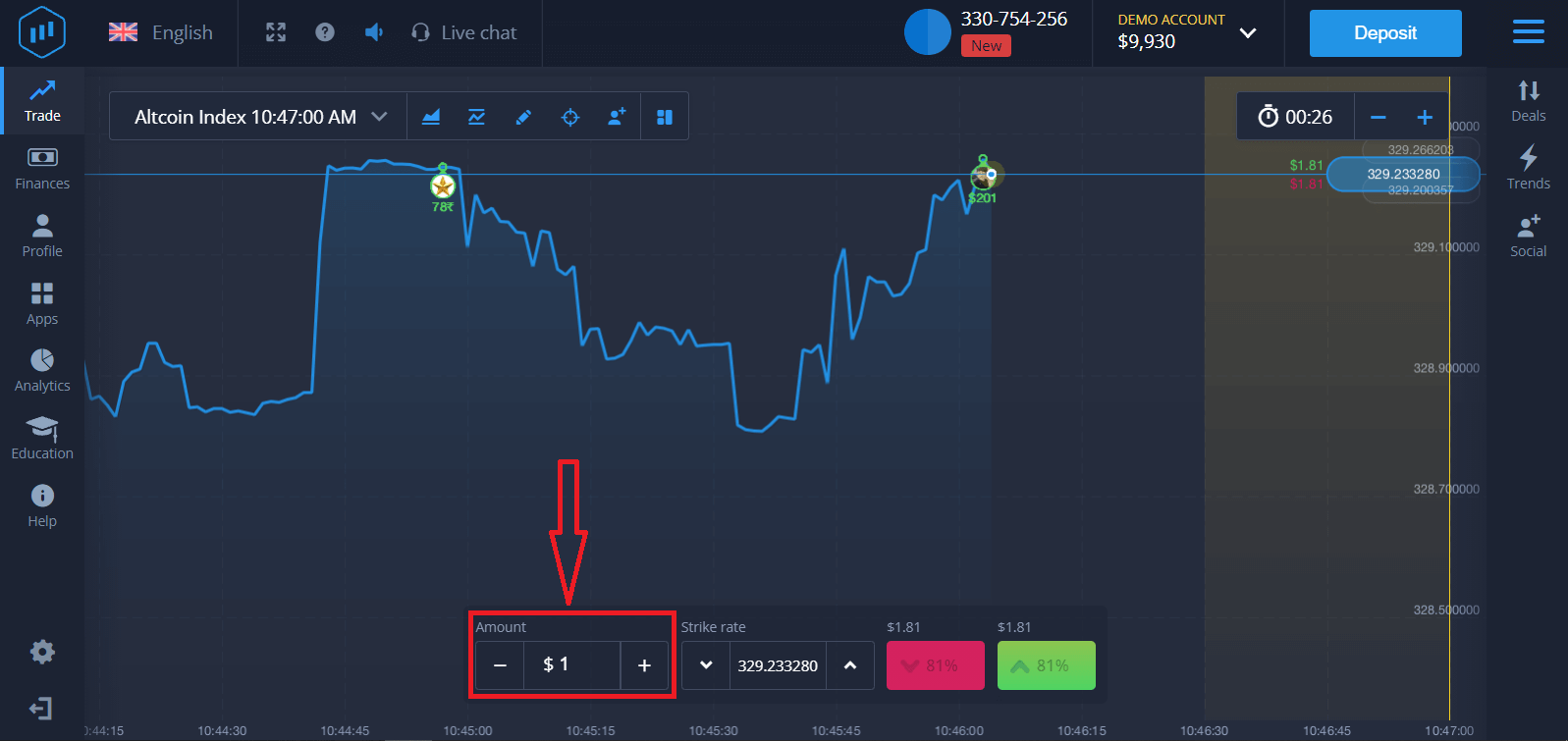
4. Analyze the price movement on the chart and make your forecast
Choose Higher (Green) or Lower (Pink) options depending on your forecast. If you expect the price to go up, press "Higher," and if you think the price is going down, press "Lower."
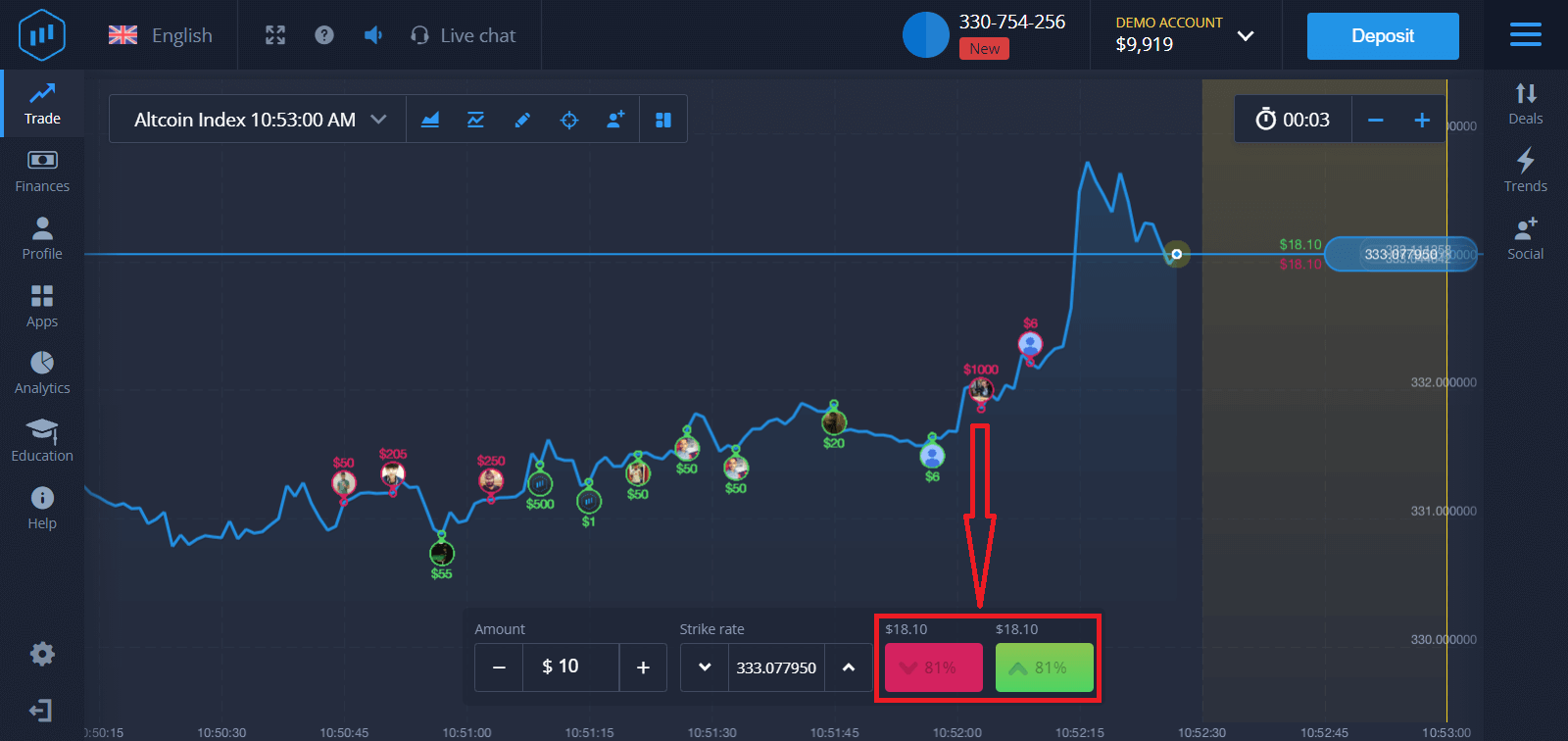
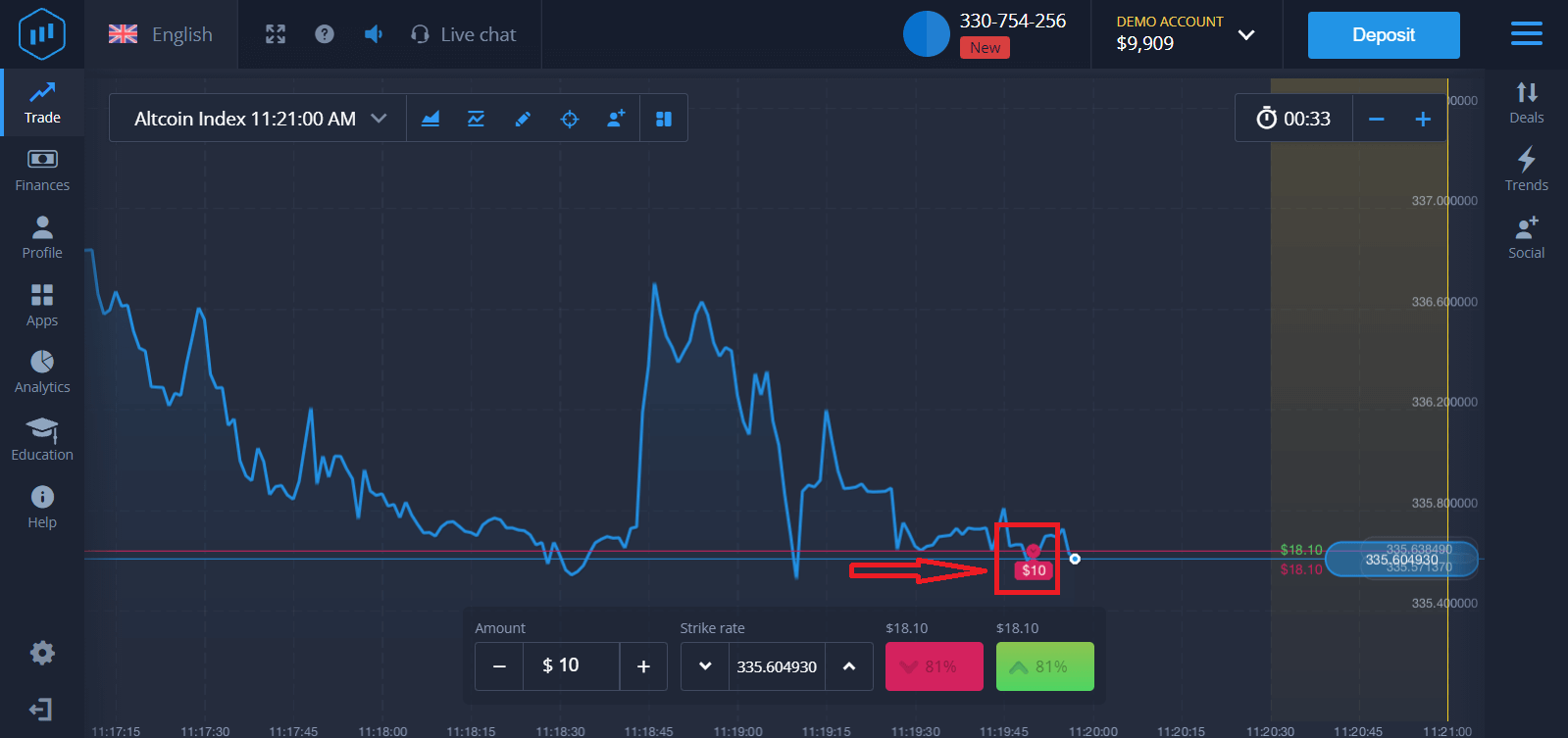
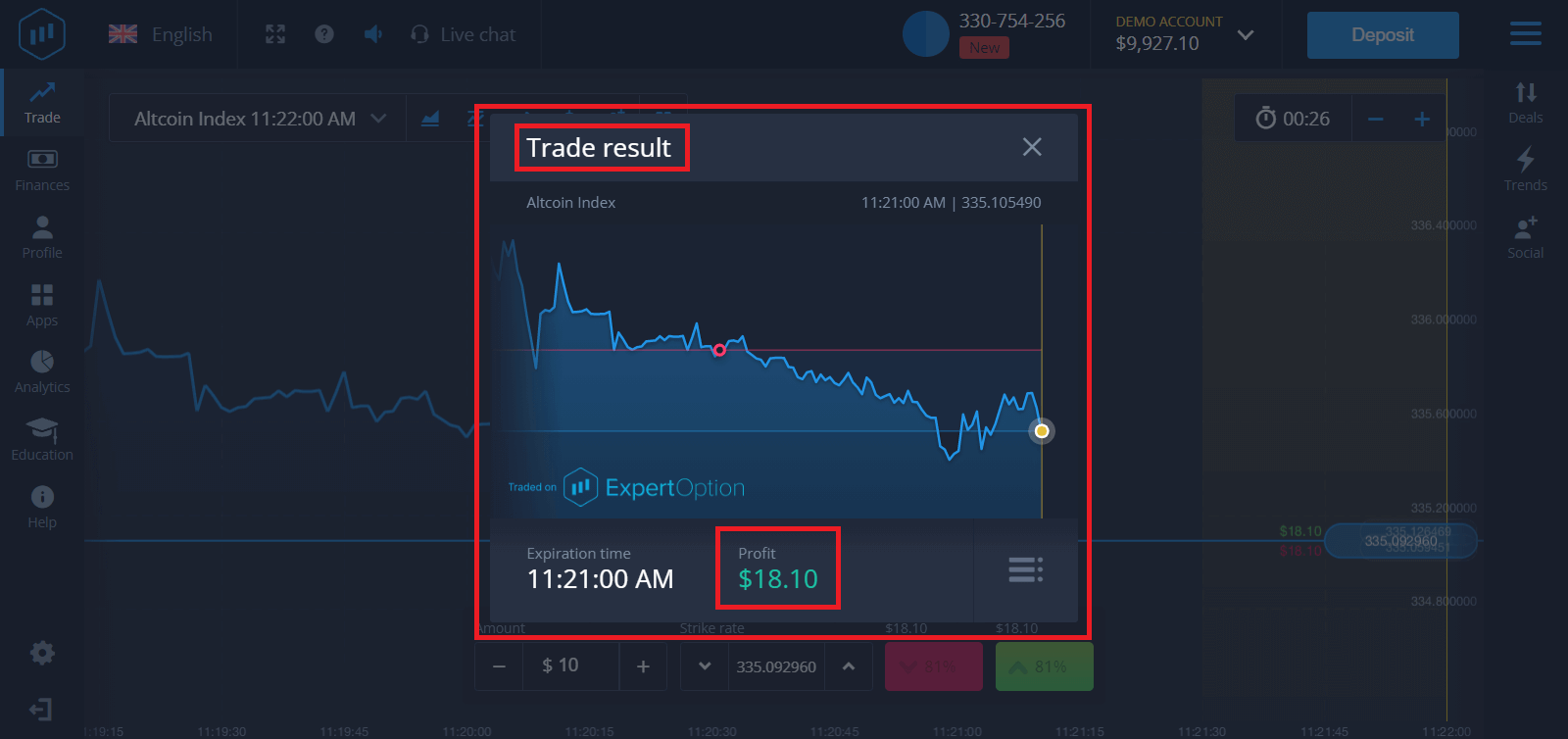
5. Wait for the trade to close to find out whether your forecast was correct. If it were, the amount of your investment plus the profit from the asset would be added to your balance. If your forecast was incorrect, the investment would not be returned.
You can monitor the Progress of your Order on the chart.t
Or in the Deals
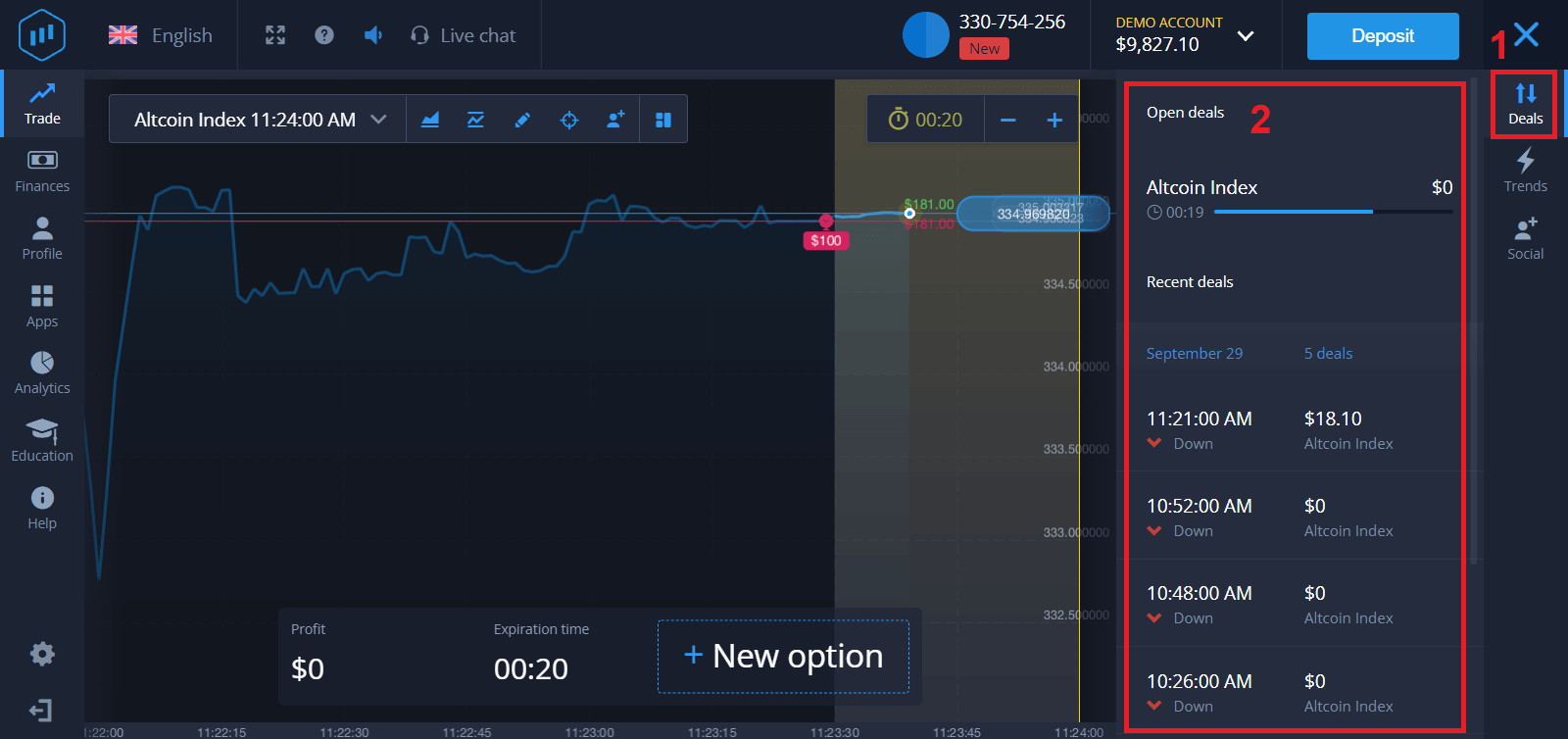
You will receive the notification about the result of your trade when it is finished.
Frequently Asked Questions (FAQ)
Is my profit calculated?
Your profit from a trade can be up to 95% of the investment amount. Profit depends on the current situation of the market.
What is the minimum amount that I can invest?
The minimum amount to invest in a single trade is $1.
Are there any commissions upon making transactions with my trading account?
Our company does not take any commissions on your transactions. But such commissions can be taken by the payment systems or a payment aggregator.
How to Withdraw Money from ExpertOption
Which Payment Methods are available for Withdrawal on ExpertOption
We work with more than 20 payment systems. You can transfer money to your debit or credit card: Visa, MasterCard, Maestro, UnionPay. We are integrated with electronic payment methods as well: Neteller, Skrill, Perfect Money, FasaPay, and others.Gold, Platinum, and Exclusive accounts have priority withdrawal.
First withdrawals have to be made to an account card or e-wallet that was used for making a deposit. In case of withdrawal, to bank card amount of withdrawal has to be equal to the deposit amount. Other funds (revenue) you can withdraw to any e-wallet (Skrill, Neteller, UnionPay, or any other method)
How can I Withdraw Money from ExpertOption
First, let’s clarify a small point. It may seem ridiculous or stupid to some, but we receive many similar questions every day. Money can be withdrawn ONLY from a real account; a demo account is, in fact, a simulation profile on which you can practice making money using the ExpertOption platform. Therefore, at the very beginning, on a demo account, a very large $10,000 is available for trading.So, you have a real account, and you’ve topped up using a MasterCard bank card. Now you’ve earned a profit and want to withdraw your winnings. How can it be done?
Withdrawal has never been easier! Follow these steps:
1. Just open the ExpertOption platform and tap on the top left upper corner menu.
2. Then choose the Finances option. You’ll now see a Withdrawal option in the lower right corner of the window.
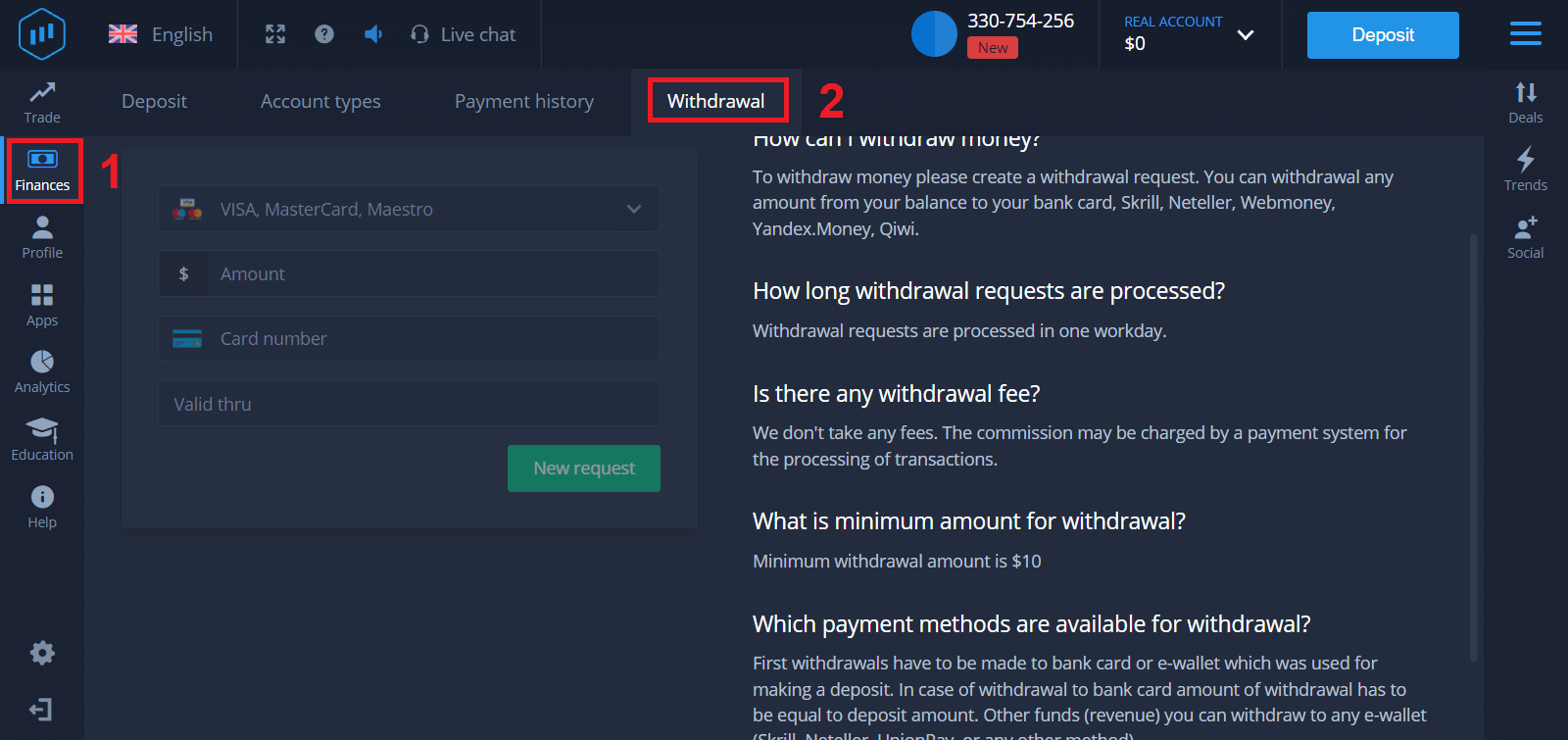
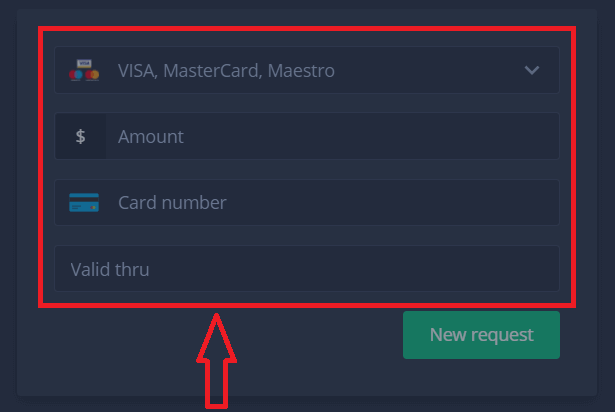
3. There, you should enter all the data of the payment method you wish to use for withdrawal
4. Once you’ve provided all the information in this field, press the “New request” button.
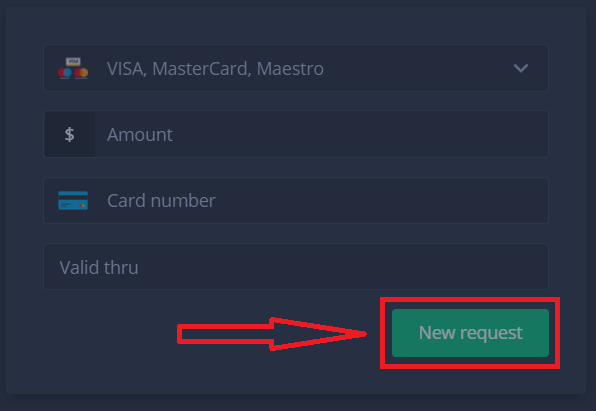
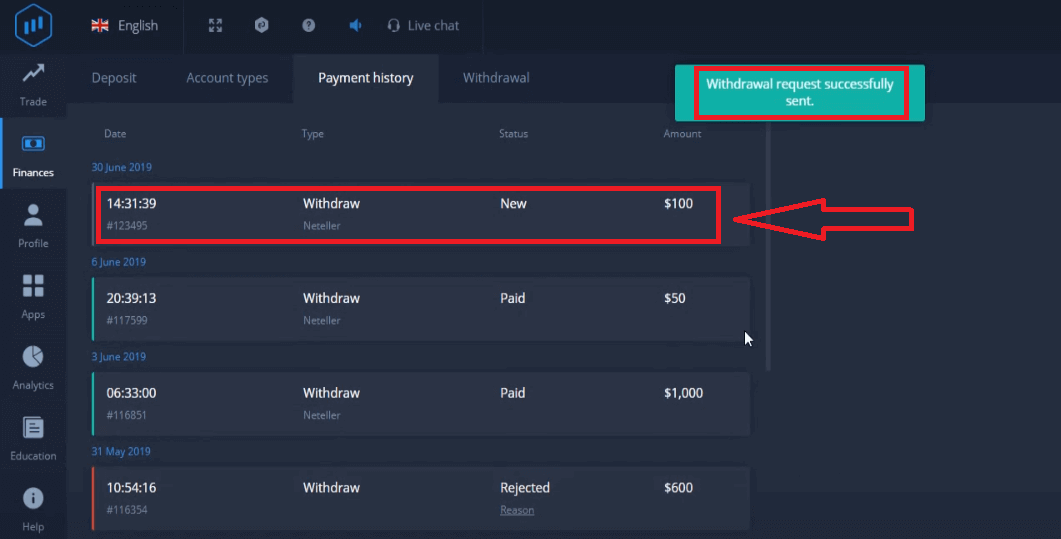
That’s it, your money is on its way to your credit card or other payment method. You will see the new request in "Payment history.y"
One more important thing!
In addition to the usual withdrawal methods - such as credit cards, there are dozens of other withdrawal ways in ExpertOption. But the first withdrawal is always available only (!) to the payment method you used for deposit.
Frequently Asked Questions (FAQ)
How long are withdrawal requests?
Withdrawal requests are processed in one workday.
Is there any withdrawal fee?
We don’t take any fees. The commission may be charged by a payment system for the processing of transactions.
What is the minimum amount for withdrawal?
Minimum withdrawal amount is $10
Conclusion: Trade and Withdraw Confidently with ExpertOption
Trading binary options and accessing your earnings on ExpertOption is straightforward, secure, and efficient, allowing you to focus on strategy and growth without unnecessary delays. By practicing informed trading, applying risk management, and utilizing ExpertOption’s fast withdrawal system, you can transform your trading efforts into tangible financial success.
Take control of your financial future—start trading binary options and withdraw your profits confidently on ExpertOption today.